
SEO Pro Extension
SEO Pro shows on-page SEO data: titles, meta, Core Web Vitals, links, headings, schema, and more.
What it does
Permissions and access
Taken from the extension's own manifest file inside the package. The store listing does not spell this out, so it is worth reading before you install.
| Permission | What it allows |
|---|---|
webNavigation | See which pages you navigate to |
webRequest | Watch your network requests |
Requests 2 permissions — extensions doing the same job average 4.1.
Technical details
Description
SEO Pro is a Chrome extension designed to streamline routine SEO audits by providing instant access to critical page data. Instead of manually inspecting source code or juggling multiple tools, you can view essential on-page elements with a single click. This tool is particularly useful for SEO professionals, content managers, and web developers who need to perform quick checks on their own sites or analyze competitors. By consolidating technical SEO information into a clear dashboard, it reduces the time spent on repetitive tasks, potentially saving several hours each week.
Key Features
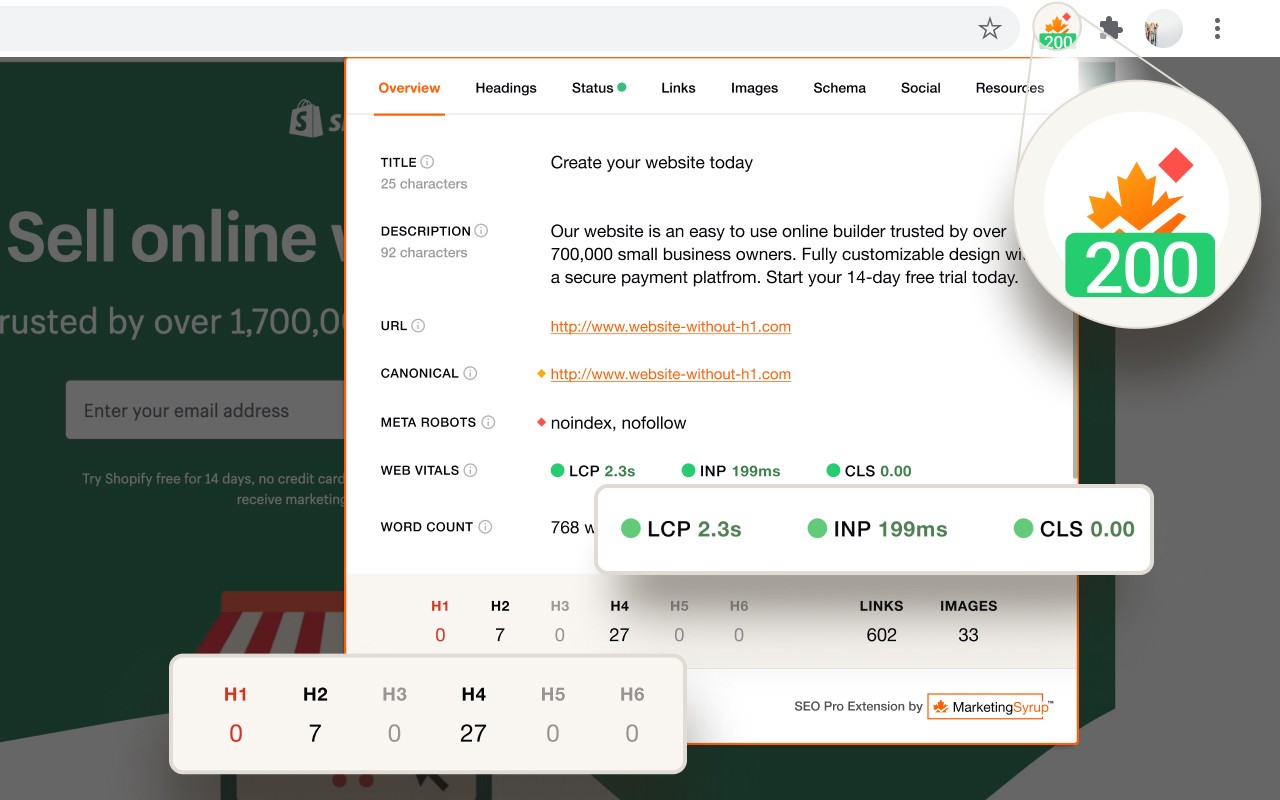
- Comprehensive Page Overview: Instantly view the title tag, meta description, canonical URL, meta robots directives, Core Web Vitals field data, and the word count of the page. This gives you a snapshot of the page's fundamental SEO health without navigating through multiple tabs or tools.
- One-Click Content Export: Export the entire visible text of the page in a single click. This is handy when you need to perform content analysis, check for keyword density, or save a copy of a competitor's content for reference.
- Core Web Vitals Metrics: Directly access the real-user field data for Largest Contentful Paint (LCP), Interaction to Next Paint (INP), and Cumulative Layout Shift (CLS). These metrics are crucial for understanding user experience and are a ranking factor, so having them readily available helps you identify performance issues quickly.
- Indexing and Canonicalization Alerts: The extension flags potential issues such as a meta robots tag set to 'noindex' or a canonical tag pointing to a different URL. This helps you spot pages that might be inadvertently excluded from search results or have conflicting signals.
- Heading Hierarchy Analysis: See the breakdown of H1, H2, H3, etc., headings on the page. This is useful for evaluating content structure, ensuring you have a single H1, and identifying heading opportunities that competitors might be using. You can also export the headings to a CSV for further analysis.
- Status Codes and Redirect Chains: At a glance, view the HTTP status code (e.g., 200, 301, 404) and any redirect chains. Additionally, you can check how common duplicate versions of the site (http vs. https, www vs. non-www) are handled, which is essential for avoiding duplicate content issues.
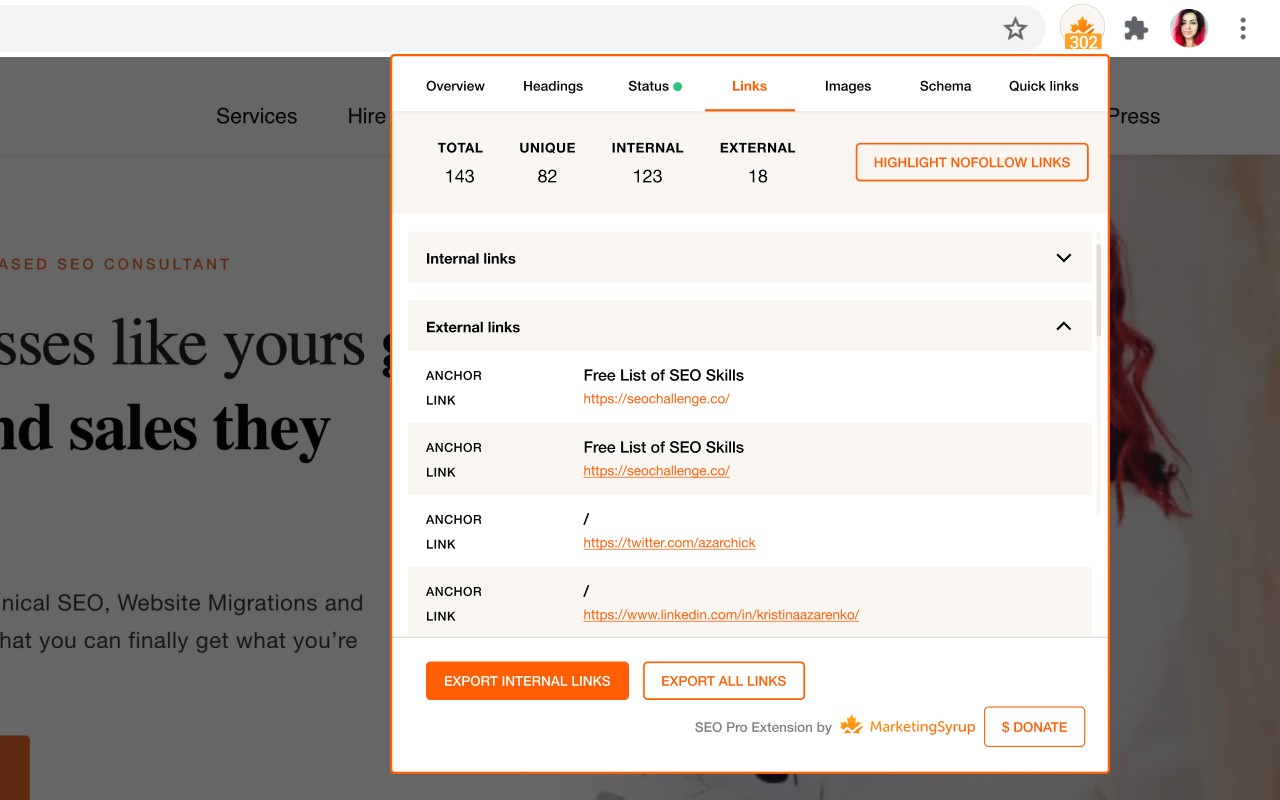
- Link Analysis: Get the total number of internal and external links on the page, along with the anchor text for each link. This helps you understand link distribution and identify potential linking opportunities. You can export this data to a CSV for deeper analysis.
- Nofollow Link Highlighting: The extension visually marks nofollow links on the page, making it easy to identify which links are passing link equity and which are not. This is useful for auditing outbound links and understanding link profiles.
- Image Alt Tag Checker: On the Images tab, view all images on the page along with their alt text. This allows you to quickly spot images missing alt attributes, which is important for accessibility and image SEO. You can also export image details including dimensions to a CSV.
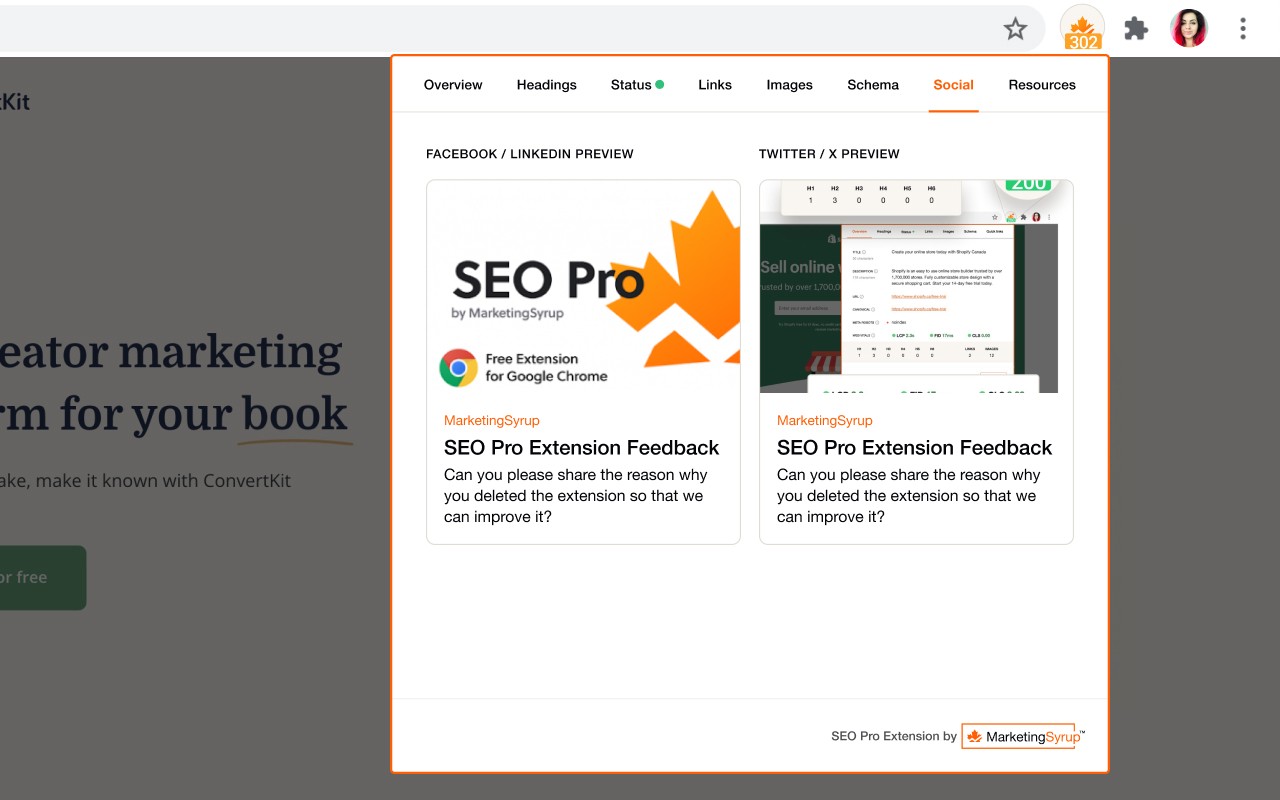
- Social Media Preview: See exactly how the page will appear when shared on social platforms like Facebook or Twitter, including the preview image, site name, title, and description. This eliminates the need to check Open Graph tags manually, ensuring your shared links look appealing.
- Schema Markup Inspector: Examine all types of structured data (schema markup) present on the page without using external tools like Rich Results Test. This is valuable for verifying that your structured data is correctly implemented and can potentially enhance your search results with rich snippets.
SEO Pro is a free extension that brings together many common SEO checks into one convenient interface. Whether you are performing a quick self-audit, analyzing a competitor's page, or troubleshooting an issue, this tool provides the necessary data in seconds. Its export features also make it easy to document findings and share them with your team or clients.
Extensions that do the same job
Matched by what these extensions actually do, not by store category, and sorted so the ones asking for the least access come first.
| Extension | Site access | Permissions | Users | Rating |
|---|---|---|---|---|
| SEO Pro Extension — this page | All sites | 2 | 100K | 4.8★ |
| IP Address and Domain Information | Limited | 1 | 100K | 4.4★ |
| EverBee - Find Best Selling Products on Etsy | All sites | 3 | 200K | 4.7★ |
| HeadingsMap | All sites | 3 | 100K | 4.5★ |
| PPSPY-#1 Shopify analytics & dropship tool | All sites | 1 | 100K | 3.9★ |
| Check My Links | All sites | 4 | 90K | 4.4★ |
| AITDK SEO Extension - Traffic/Keywords/Whois/SEO analyzer | All sites | 2 | 70K | 4.8★ |
Want the same thing with less access? IP Address and Domain Information asks for fewer permissions than this one.
Store data last checked August 14, 2026.