
Chat with all AI models (Gemini, Claude, DeepSeek…) & AI Agents | AITOPIA
Chat with dozens of AI models (Gemini, Claude, DeepSeek, GPT) and hundreds of AI agents in a sidebar on any webpage.
What it does
Permissions and access
Taken from the extension's own manifest file inside the package. The store listing does not spell this out, so it is worth reading before you install.
| Permission | What it allows |
|---|---|
activeTab | Access the current tab when you click the extension |
scripting | Run its own code on pages |
sidePanel | Show a panel beside the page |
storage | Store its own settings and data |
tabs | See the addresses and titles of your open tabs |
unlimitedStorage | Store unlimited data on your computer |
Requests 6 permissions — extensions doing the same job average 4.9.
Technical details
Show all 51 languages
Description
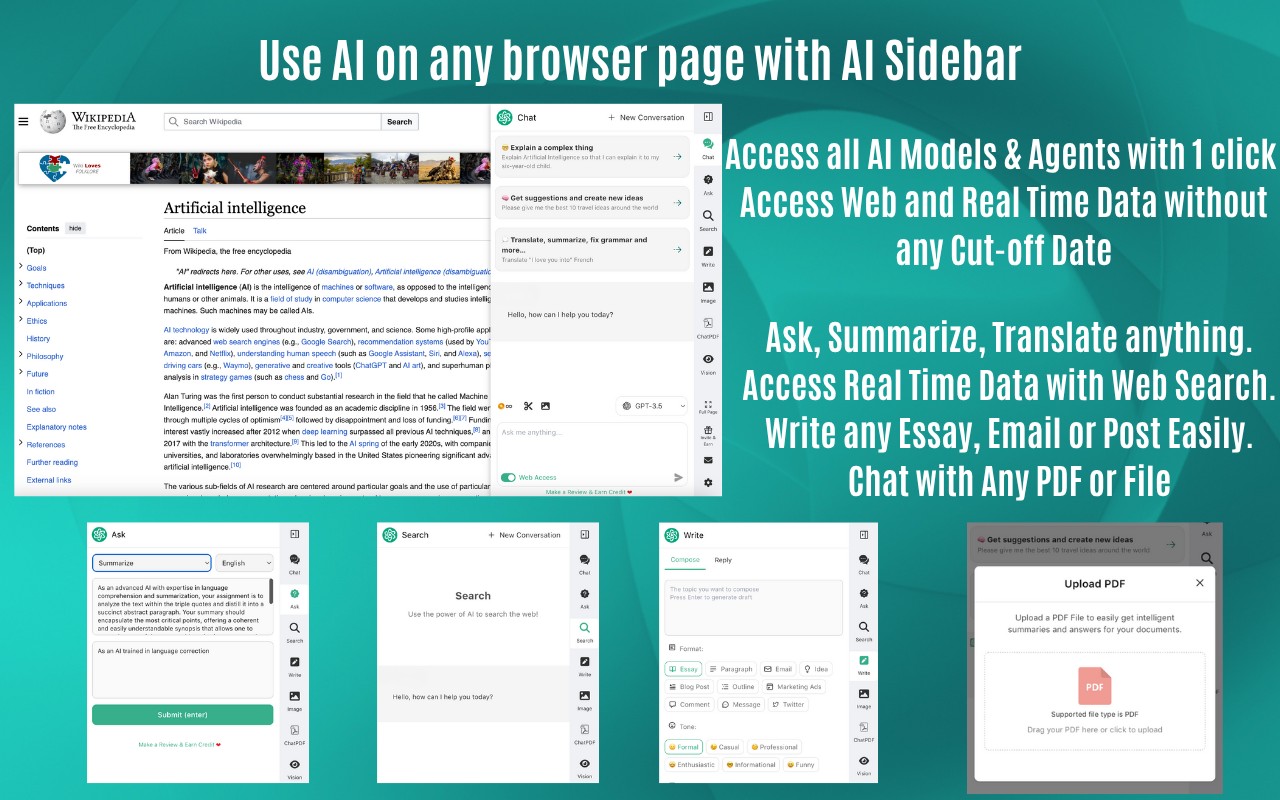
AITOPIA brings together dozens of AI models and hundreds of AI agents into a single Chrome extension. The AI Sidebar appears on any webpage, letting you chat with models like Gemini, Claude, DeepSeek, GPT-5.6, and others without leaving your current tab. You can upload PDFs, Word documents, Excel files, or even ZIP archives containing these files, and ask questions about their content. The extension also supports image analysis via AI Vision, text-to-image generation, background removal, and upscaling. A Group Chat feature lets you pose questions to multiple models simultaneously and compare their answers side by side. Web Access overcomes model cutoff dates by fetching real-time information. The AI Agent Marketplace offers pre-built agents for tasks like summarization, translation, and code explanation, while the Agent Creator lets you build custom agents with your own knowledge base. For search, AI replies appear alongside results on Google, DuckDuckGo, Bing, Yahoo, Baidu, and Yandex. Reading and writing context menus provide quick lookup, summarization, translation, rewording, tone adjustment, and outline generation. A dedicated email assistant works in Gmail and Outlook to summarize threads and suggest replies. YouTube video summaries with timestamps help you grasp key points without watching the entire video. The extension also includes dark mode, markdown rendering, code highlighting, and a clipboard copy option. A full-screen WebApp mode is available for longer tasks. All features are accessible from the browser toolbar popup or sidebar.
Key Features
- Multi-Model Chat: Access OpenAI, Anthropic, Google, and DeepSeek models from one sidebar. Useful when you need to compare responses or choose the best model for a specific task.
- Group Chat: Send the same prompt to multiple LLMs at once and see their answers in parallel. Ideal for evaluating model performance or getting diverse perspectives on complex questions.
- Web Access: Fetch current data from the internet to supplement model knowledge. Essential for queries about recent events or rapidly changing topics.
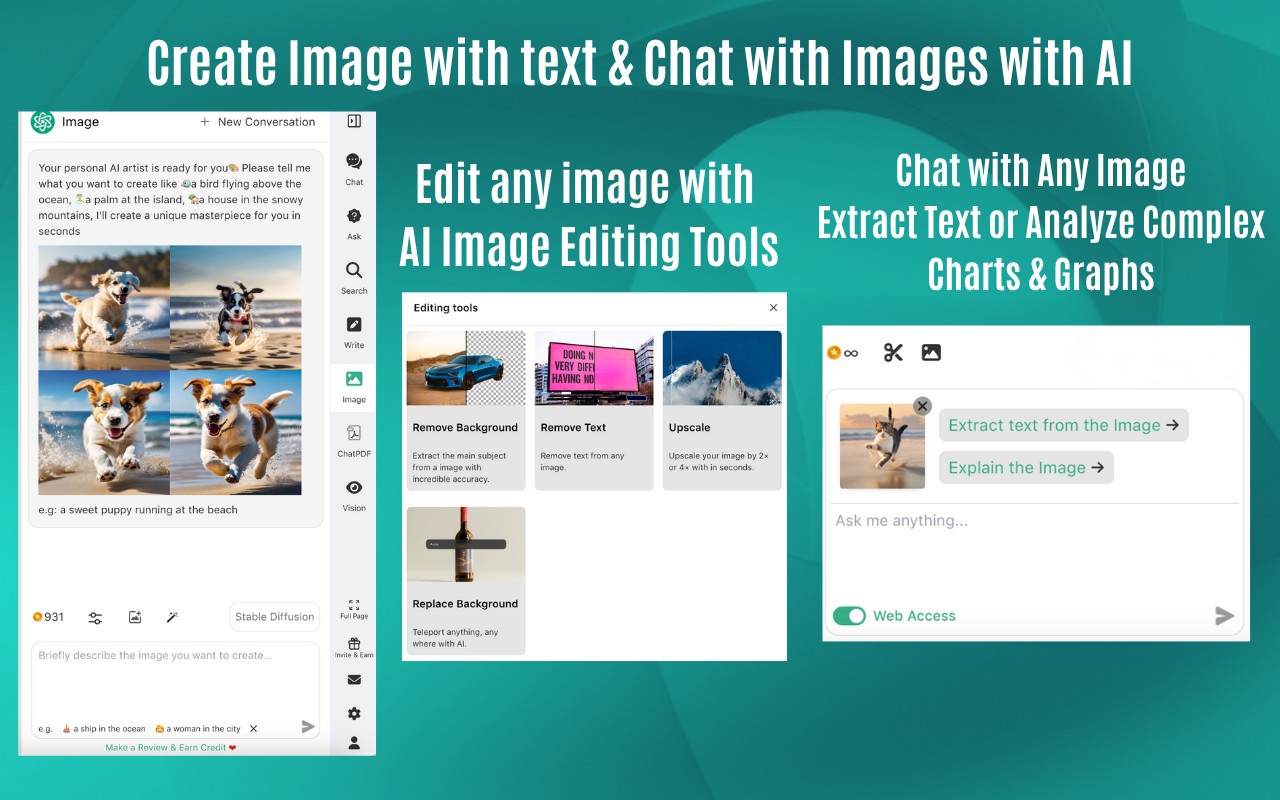
- AI Vision: Upload images, charts, or graphs and ask the AI to analyze or describe them. Helps with data interpretation, image captioning, or extracting text from photos.
- File Upload & Analysis: Upload PDFs, Word, Excel, or ZIP files and chat about their content. Useful for digesting long documents, extracting key information, or getting summaries.
- Image Generation: Create images from text prompts, use reference images, choose styles (photographic, pixel art, etc.), adjust aspect ratio, and remove or swap backgrounds. Supports DALL-E, Stability SDXL, SD3, and SD3 Turbo.
- AI Agent Marketplace: Browse and install pre-made agents for specific tasks like writing, coding, or research. Saves time by providing specialized tools without manual setup.
- Agent Creator: Build custom agents with your own knowledge base and skill sets. Useful for repetitive workflows or domain-specific tasks.
- Search Engine Integration: Get AI-generated answers alongside search results on Google, DuckDuckGo, Bing, Yahoo, Baidu, and Yandex. Helps you quickly understand search results without clicking multiple links.
- Reading Context Menu: Right-click to explain, summarize, outline, or translate text. Great for research, language learning, or quickly grasping article content.
- Writing Context Menu: Reword, expand, condense, or change tone of selected text in any input box (Gmail, Outlook, social media). Improves writing quality and adapts to different audiences.
- Email Assistant: In Gmail and Outlook, get email summaries, key points, and reply suggestions. Speeds up email management and ensures you don't miss important details.
- YouTube Summaries: View video summaries with timestamps for key highlights. Saves time by letting you skip to relevant sections or get the gist without watching the whole video.
- Dark Mode: Switch to a dark theme for comfortable browsing in low light. Reduces eye strain during extended use.
- Clipboard Copy: Easily copy conversation text to clipboard for pasting into other apps. Facilitates information sharing.
- Full Screen & WebApp: Expand the sidebar to full screen for longer tasks like document analysis or image generation. Provides a more spacious workspace.
With AITOPIA, you can leverage the latest AI advancements directly in your browser, whether you're researching, writing, analyzing data, or creating content. The extension consolidates multiple AI tools into one interface, reducing the need to switch between different websites or applications.
Extensions that do the same job
Matched by what these extensions actually do, not by store category, and sorted so the ones asking for the least access come first.
| Extension | Site access | Permissions | Users | Rating |
|---|---|---|---|---|
| Chat with all AI models (Gemini, Claude, DeepSeek…) & AI Agents | AITOPIA — this page | All sites | 6 | 900K | 4.9★ |
| NoteGPT: YouTube Summary, Chat with AI Assistant, ChatGPT DeepSeek Claude | Limited | 3 | 400K | 4.9★ |
| Immersive Translate: AI Web, PDF & Video Translator | All sites | 9 | 3M | 4.1★ |
| Merlin AI | All sites | 8 | 900K | 4.8★ |
| Linnk AI - Academic & Professional Research Assistant | All sites | 8 | 3K | 4.4★ |
| ParagraphAI | All sites | 6 | 20K | 4.4★ |
| Fathom AI Note Taker for Google Meet | Limited | 4 | 500K | 4.9★ |
Want the same thing with less access? NoteGPT: YouTube Summary, Chat with AI Assistant, ChatGPT DeepSeek Claude, Fathom AI Note Taker for Google Meet, AI Code Finder, Alerts, Ask Questions about Papers: CatalyzeX ask for fewer permissions than this one.
Store data last checked August 14, 2026.