
WA Blur: Hide Whatsapp™ chats by blurring
Blurs specific WhatsApp Web elements like names, photos, timestamps, and message previews for privacy.
What it does
Permissions and access
Taken from the extension's own manifest file inside the package. The store listing does not spell this out, so it is worth reading before you install.
| Permission | What it allows |
|---|---|
storage | Store its own settings and data |
Requests 1 permission — extensions doing the same job average 7.0.
Technical details
Show all 55 languages
Description
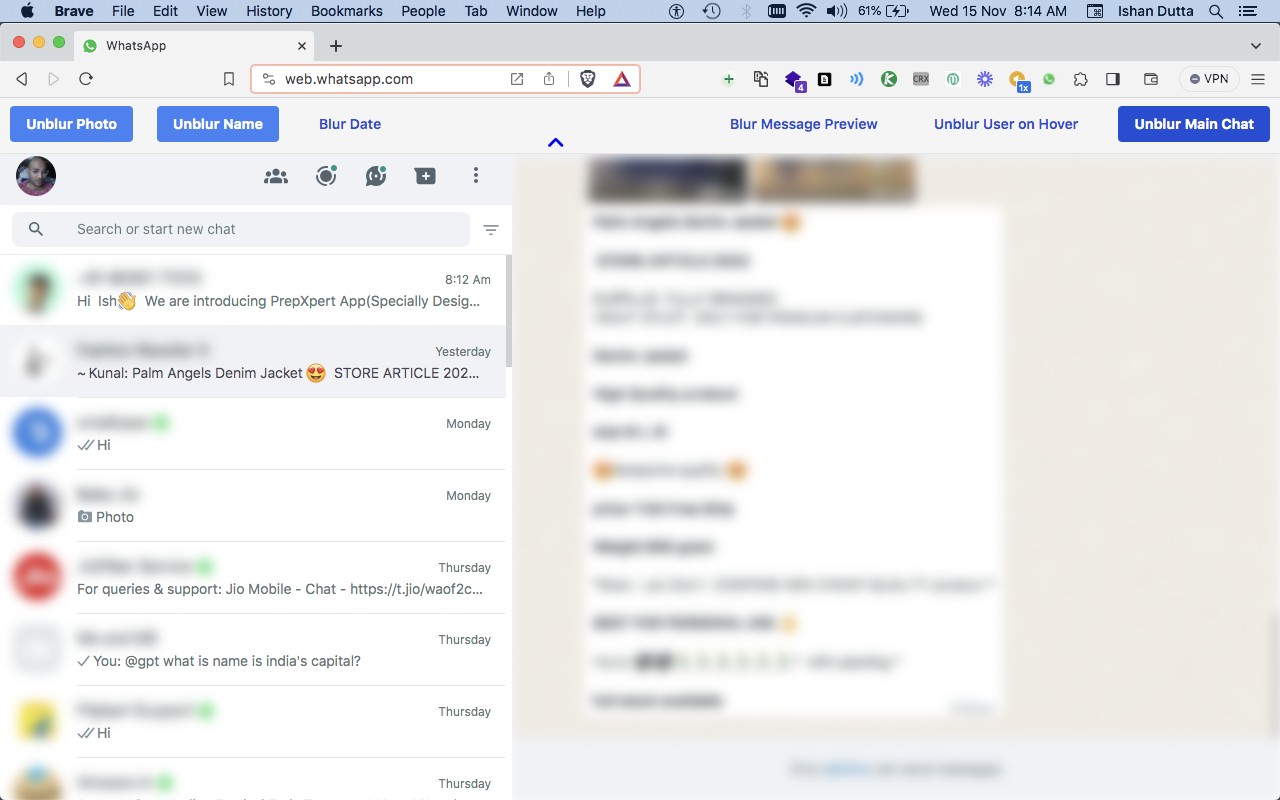
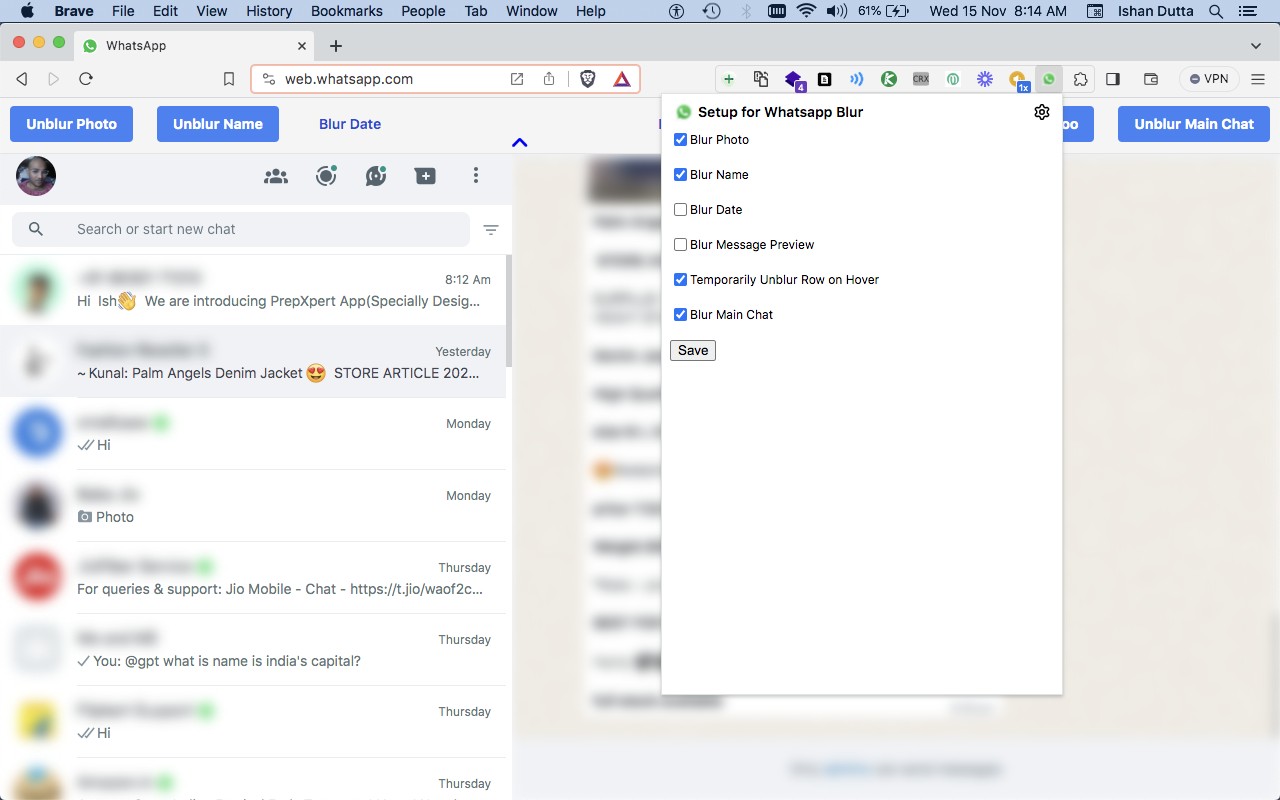
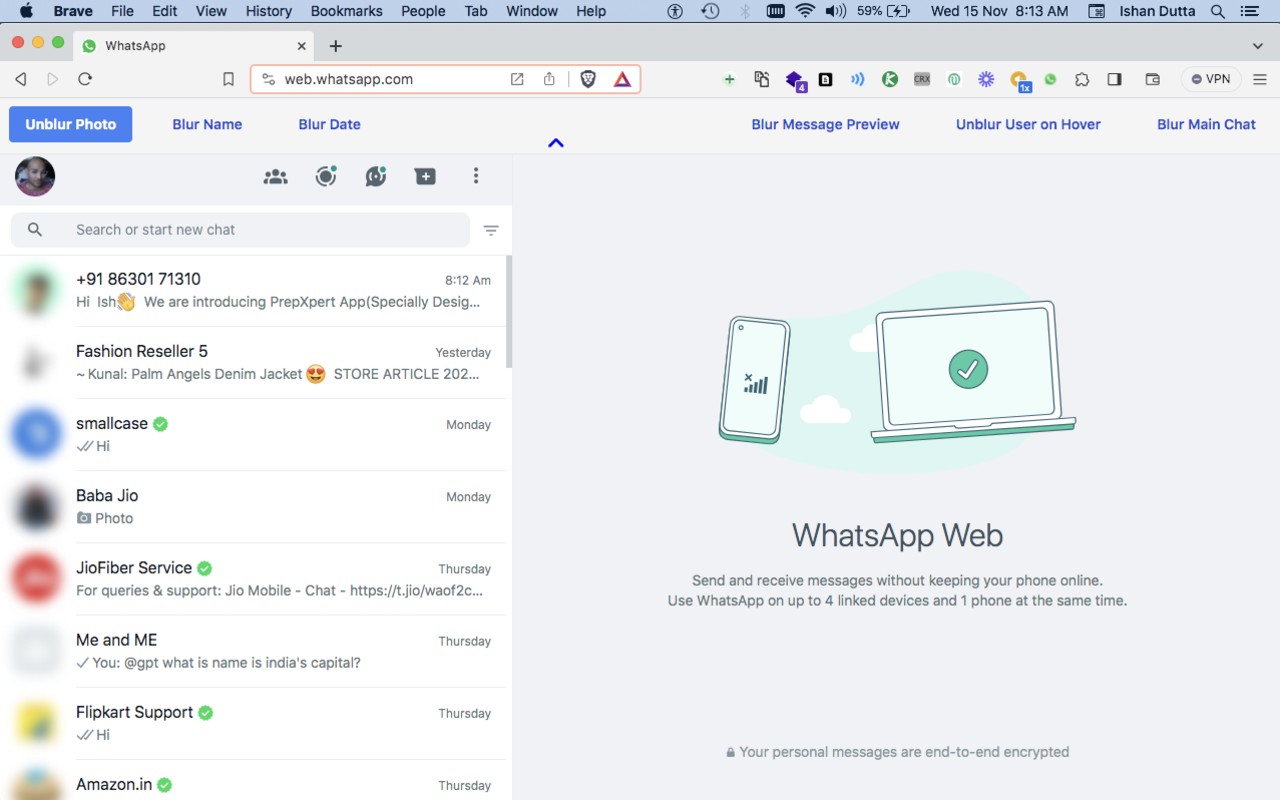
WA Blur is a privacy-focused extension for web.whatsapp.com that lets you selectively obscure sensitive chat content. When you are logged into WhatsApp Web, the extension can blur specific elements such as contact names, profile photos, message timestamps, message previews, and entire chat threads. Unlike other similar tools, WA Blur provides granular control over each of these elements individually, so you can choose exactly which parts of the interface to hide. This is particularly useful in public or shared-screen scenarios-for example, when you are using WhatsApp at work, in a coffee shop, or during a presentation, and you want to prevent others from reading your messages or seeing who you are chatting with. The extension does not alter your actual messages or account data; it only applies a visual blur effect on the web interface. Note that WA Blur is an independent, unofficial extension and is not affiliated with WhatsApp Inc. or Meta.
Key Features
- Blur contact names: Obscures the names of your chat contacts so that onlookers cannot identify who you are talking to. Useful when you want to keep your contact list private.
- Blur profile photos: Hides the profile pictures of contacts and your own avatar, preventing visual recognition of people in your chats.
- Blur message timestamps: Conceals the time and date of each message, so others cannot see when you last communicated or the recency of messages.
- Blur message previews: Hides the snippet of text shown under each contact name in the chat list, protecting the content of incoming messages from being read at a glance.
- Blur entire chats: Applies a blur over the whole conversation window, making all message text and media unreadable. Ideal for when you step away from your computer but want to keep the screen visible.
- Granular control: Each blur option can be toggled independently via the extension's popup menu. You can mix and match-for instance, blur only names and photos while keeping message previews visible, or blur everything at once.
- Works exclusively on web.whatsapp.com: The extension activates only when you are on the official WhatsApp Web domain and logged into your account.
By offering adjustable privacy levels, WA Blur helps you maintain confidentiality without leaving WhatsApp Web. Whether you need to hide just a few details or obscure the entire interface, the extension adapts to your needs. Remember that this is a third-party tool not endorsed by WhatsApp, and it does not store or transmit any of your data.
Extensions that do the same job
Matched by what these extensions actually do, not by store category, and sorted so the ones asking for the least access come first.
| Extension | Site access | Permissions | Users | Rating |
|---|---|---|---|---|
| WA Blur: Hide Whatsapp™ chats by blurring — this page | Limited | 1 | 6K | 3.0★ |
| MEGA | Limited | 2 | 1M | 4.3★ |
| Virtru Email Protection | Limited | 2 | 700K | 3.9★ |
| Plugins | Limited | 3 | 400K | 3.8★ |
| Privacy Extension For WhatsApp Web - WABULK | Limited | 4 | 200K | 4.7★ |
| Osprey: Browser Protection | Limited | 3 | 10K | 4.9★ |
| Just Delete Me | Limited | 4 | 8K | 4.3★ |
Store data last checked August 14, 2026.