
MasterPassword for chrome
Generates unique site passwords from a single master password without storing any password locally or in the cloud.
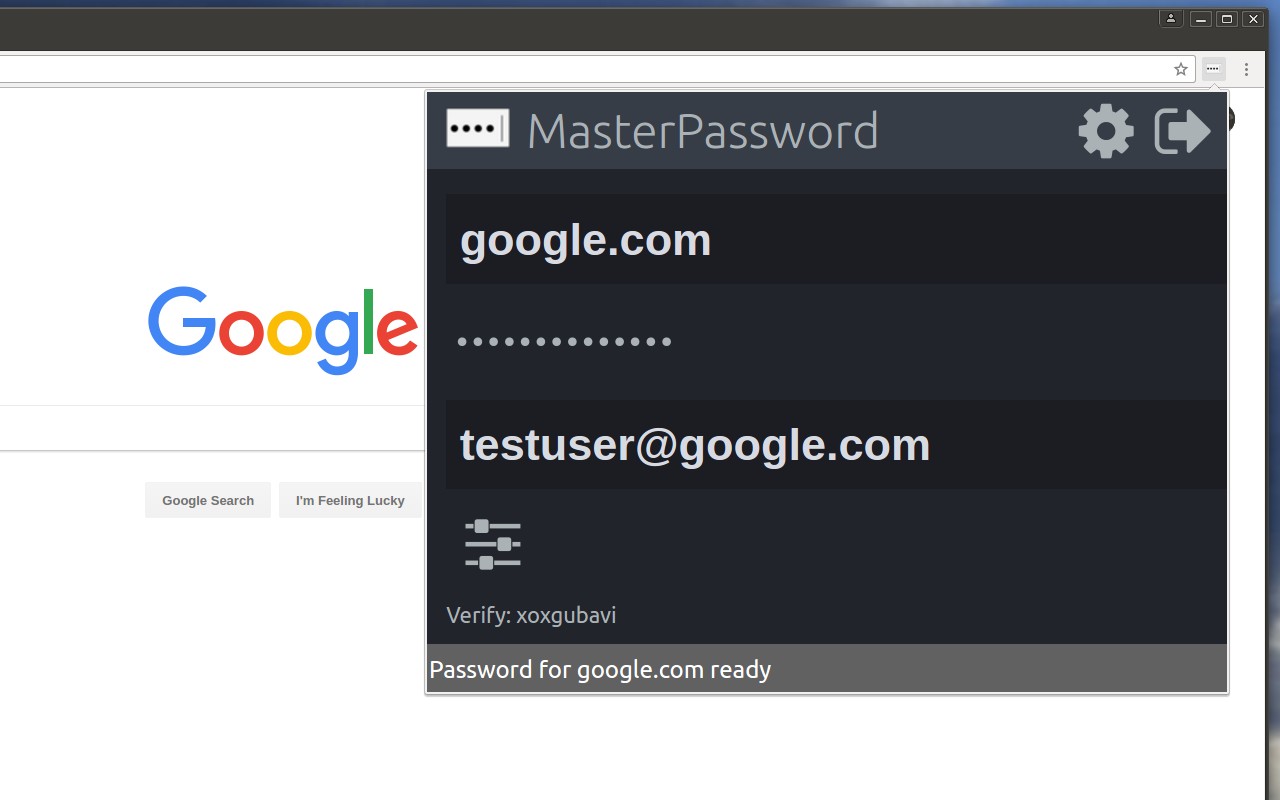
What it does
Permissions and access
Taken from the extension's own manifest file inside the package. The store listing does not spell this out, so it is worth reading before you install.
| Permission | What it allows |
|---|---|
activeTab | Access the current tab when you click the extension |
alarms | Schedule background tasks |
clipboardWrite | Copy data to your clipboard |
nativeMessaging | Talk to programs installed on your computer |
scripting | Run its own code on pages |
storage | Store its own settings and data |
Requests 6 permissions — extensions doing the same job average 9.6.
Technical details
Keyboard shortcuts
| Shortcut | Action |
|---|---|
| Alt+Shift+P | _execute_action |
Description
MasterPassword for Chrome is a password generator that creates unique, site-specific passwords from a single master password you remember. Unlike traditional password managers that store your passwords in a database or cloud, MasterPassword generates each site password mathematically on the fly, ensuring that neither your master password nor any site password is ever saved to disk or transmitted over the network. This approach protects you even if your computer or browser is compromised, because there is nothing stored to steal.
Key Features and Use Cases
- Deterministic password generation: The algorithm uses your master password and the site's domain name to produce a unique password each time. This means you can access your passwords from any device-including iOS, Android, Windows, Mac, or Linux-using the same standardized algorithm, without syncing or storing anything.
- No storage, no theft risk: Because passwords are generated rather than stored, a hacker who gains access to your browser or computer cannot extract your passwords. This is a critical advantage over built-in password managers like Chrome's, which store passwords in an encrypted file that can be decrypted if the attacker has local access.
- Works alongside other password managers: The extension stays idle until you click its button, so you can keep using Chrome's password manager or other tools for legacy passwords. This is useful when you have existing accounts with custom passwords that cannot be imported into MasterPassword (since it only generates passwords, not stores them). You can gradually transition sites to MasterPassword as you change each password.
- Manual password entry simulation: When you click the MasterPassword button on a login page, it types the generated password into the field as if you had typed it. Chrome will then offer to save that password, but since storing it defeats the purpose of MasterPassword, you should decline. The extension does not interfere with Chrome's prompt; it simply lets you choose.
- Portable and future-proof: If you uninstall the extension, you have not lost access to your passwords-you just need to remember your master password and use any other MasterPassword-compatible app to regenerate them. The algorithm is open and standardized, so you are never locked into a single vendor.
To get started, set a strong master password that you will remember. Then, for each website, the extension will generate a unique password based on that master password and the site's domain. Use the same master password on all your devices to have consistent access. Because the algorithm is deterministic, you can even generate passwords offline without an internet connection. MasterPassword is ideal for users who want strong, unique passwords without relying on cloud sync or local storage, and who prefer a zero-knowledge approach to credential management.
Extensions that do the same job
Matched by what these extensions actually do, not by store category, and sorted so the ones asking for the least access come first.
| Extension | Site access | Permissions | Users | Rating |
|---|---|---|---|---|
| MasterPassword for chrome — this page | Limited | 6 | 2K | 4.7★ |
| Password Generator | Limited | 0 | 3K | 3.7★ |
| Signer.Digital Digital Signature, PKI | All sites | 1 | 3M | 4.2★ |
| 2FA Authenticator | All sites | 4 | 100K | 3.4★ |
| LastPass: Free Password Manager | All sites | 13 | 8M | 4.3★ |
| NordPass® Password Manager & Digital Vault | All sites | 10 | 8M | 4.6★ |
| Bitwarden Password Manager | All sites | 16 | 7M | 4.3★ |
Want the same thing with less access? Password Generator asks for fewer permissions than this one.
Store data last checked August 14, 2026.