
YouTube Thumbnail Viewer
Displays YouTube video thumbnails inline and lets you open or save them with one click.
Description
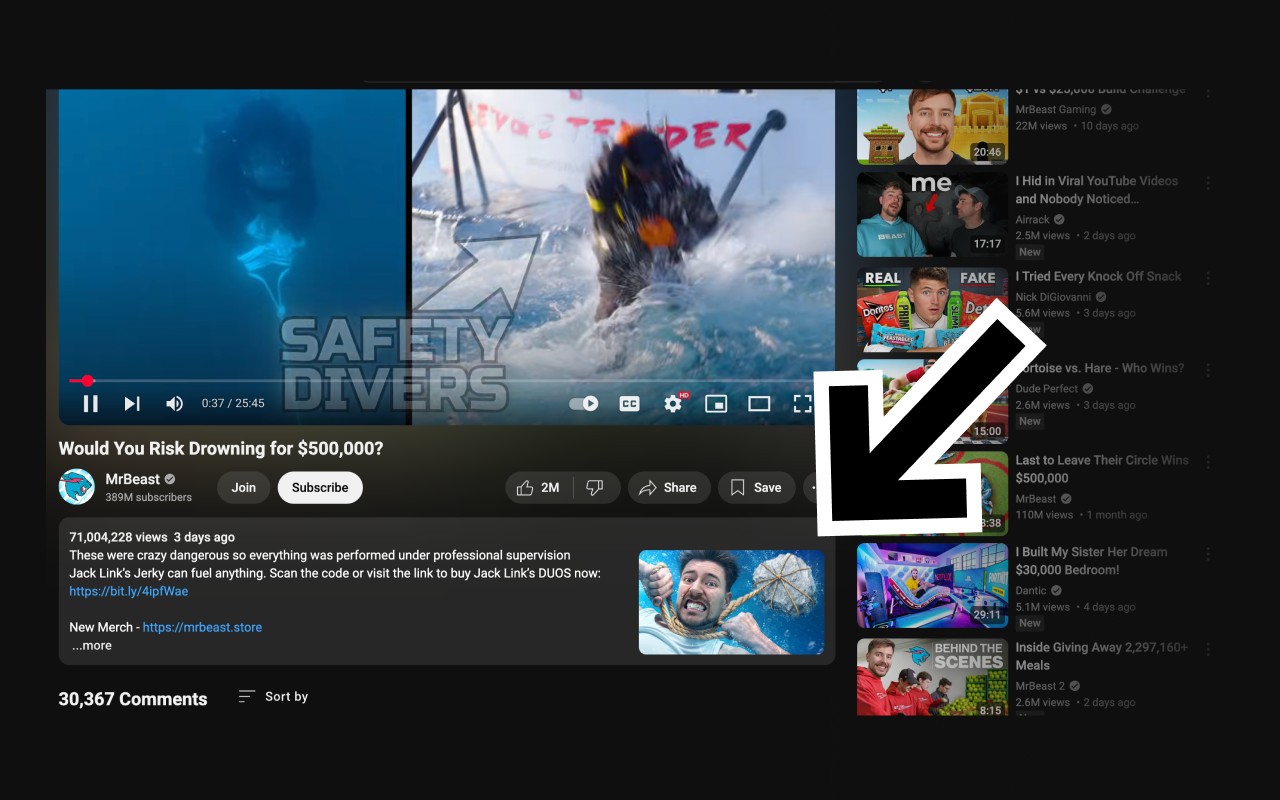
YouTube Thumbnail Viewer is a lightweight browser extension designed for YouTube users who need quick access to video thumbnails. It automatically displays the current video's thumbnail image directly within the YouTube description area, eliminating the need to manually search for or extract the image URL. The extension works seamlessly on standard YouTube watch pages, providing an unobtrusive way to preview, open, or save thumbnails without interrupting your viewing experience.
Key Features
- Instant Thumbnail Preview: While watching a YouTube video, the thumbnail appears inline in the description section, allowing you to see it at a glance without leaving the page.
- One-Click Full-Size View: Click on the thumbnail to open the highest available resolution image in a new tab, where you can inspect details or download it for offline use.
- Automatic Resolution Selection: The extension attempts to fetch the maximum resolution thumbnail first (e.g., maxresdefault.jpg). If that is not available, it automatically falls back to lower resolutions, ensuring you always get the best possible quality.
- Privacy-Focused Design: No account registration, no ads, no subscriptions, and absolutely no tracking or collection of personal data. The extension operates entirely on the client side, requiring only permission to access YouTube watch pages.
- Lightweight and Fast: With minimal code and no dependencies, the extension loads quickly and does not slow down your browsing or video playback. It stays out of your way until you need it.
Use cases include content creators who want to quickly grab a thumbnail for thumbnails comparisons, educators who need to reference video imagery, or casual viewers who prefer to save an interesting image. By placing the thumbnail exactly where you are already looking, YouTube Thumbnail Viewer saves time and reduces friction compared to manual methods like inspecting page elements or using third-party tools.
Related


