
Image Blur Extension
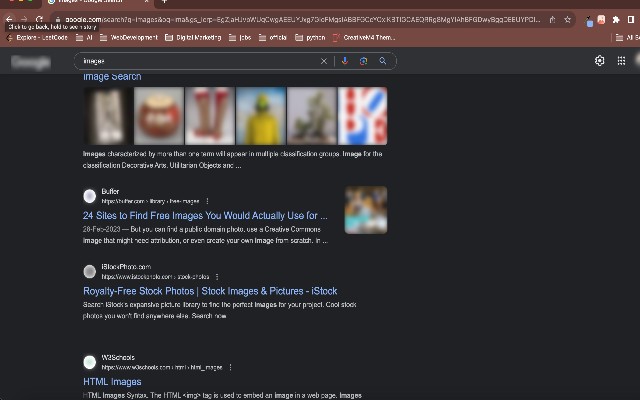
Blurs all images on web pages to protect privacy and reduce distractions.

What it does
Permissions and access
Taken from the extension's own manifest file inside the package. The store listing does not spell this out, so it is worth reading before you install.
| Permission | What it allows |
|---|---|
activeTab | Access the current tab when you click the extension |
storage | Store its own settings and data |
Requests 2 permissions — extensions doing the same job average 7.0.
Technical details
Description
Image Blur Extension is a Chrome browser tool that automatically applies a blur effect to all images displayed on any website you visit. It is designed for users who prioritize online privacy or wish to reduce visual distractions caused by images on social media, news portals, e-commerce sites, or other platforms. By blurring images, the extension helps prevent accidental exposure to sensitive, explicit, or unwanted visual content while browsing.
Features
- Automatic Image Blurring: Once installed and enabled, the extension instantly blurs every image on the current webpage without requiring manual intervention. This includes photos, illustrations, banners, and embedded graphics. Useful when you want to browse news or social feeds without being influenced or disturbed by imagery.
- Adjustable Blur Intensity: You can customize the strength of the blur effect via the extension's settings. Options range from a light blur that merely softens details to a heavy blur that makes images completely unrecognizable. This allows you to balance privacy protection with the ability to still perceive layouts or colors.
- One-Click Toggle: A simple toolbar button lets you enable or disable the blur effect on the fly. When you need to view images clearly-for example, when looking at product photos, infographics, or friends' pictures-just click to turn off blur. Click again to re-enable protection when you return to sensitive content.
- Persistent Operation Across Tabs: The blur setting applies uniformly to all open tabs and new tabs you open, ensuring consistent privacy protection throughout your browsing session. You don't need to configure it per website.
- Lightweight and Non-Intrusive: The extension runs silently in the background without slowing down page loading or interfering with other browser functions. It does not collect or transmit any personal data.
Image Blur Extension is ideal for users who frequently browse in public spaces, share screens, or simply want to avoid being distracted by flashy or irrelevant images. By giving you full control over when and how images are displayed, it enhances both privacy and focus.
Extensions that do the same job
Matched by what these extensions actually do, not by store category, and sorted so the ones asking for the least access come first.
| Extension | Site access | Permissions | Users | Rating |
|---|---|---|---|---|
| Image Blur Extension — this page | All sites | 2 | 2K | 5.0★ |
| MEGA | Limited | 2 | 1M | 4.3★ |
| Virtru Email Protection | Limited | 2 | 700K | 3.9★ |
| Plugins | Limited | 3 | 400K | 3.8★ |
| Privacy Extension For WhatsApp Web - WABULK | Limited | 4 | 200K | 4.7★ |
| Osprey: Browser Protection | Limited | 3 | 10K | 4.9★ |
| Just Delete Me | Limited | 4 | 8K | 4.3★ |
Want the same thing with less access? MEGA, Virtru Email Protection, Plugins ask for fewer permissions than this one.
Store data last checked August 14, 2026.