
Testing Reading Speed
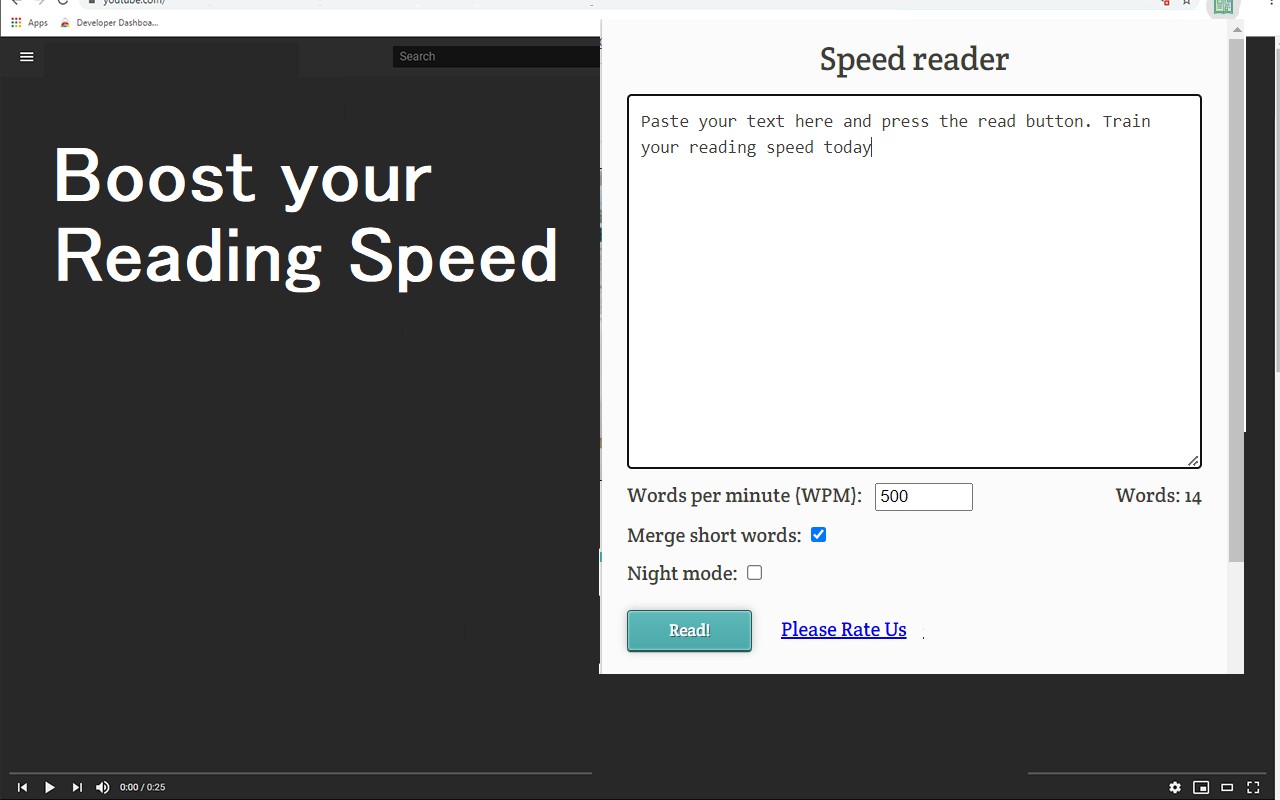
Browser extension that trains you to read faster using RSVP method, with adjustable speed and baseline testing.
What it does
Permissions and access
Taken from the extension's own manifest file inside the package. The store listing does not spell this out, so it is worth reading before you install.
| Permission | What it allows |
|---|---|
activeTab | Access the current tab when you click the extension |
scripting | Run its own code on pages |
storage | Store its own settings and data |
Requests 3 permissions — extensions doing the same job average 3.4.
Technical details
Show all 43 languages
Description
Testing Reading Speed is a browser extension designed to help you read faster by training your eyes and brain to process text at higher speeds. It works by displaying words one at a time in rapid succession, a technique known as rapid serial visual presentation (RSVP). This method reduces the tendency to subvocalize, or silently pronounce words in your head, which is a common habit that slows down reading. The extension allows you to set the pace at which words appear, starting from your current comfortable speed and gradually increasing it over time.
Key Features and How They Help
- Speed Measurement and Tracking: Before you begin training, the extension tests your baseline reading speed in words per minute (WPM). This gives you a starting point and allows you to measure your progress as you practice. The average reading speed is around 200 WPM, but with consistent use, you can double or triple that rate.
- Adjustable Word Flash Speed: You can customize the speed at which words are displayed on the screen. This is the core training mechanism: you set a speed that is slightly faster than your normal reading pace, and the extension forces you to keep up. Over time, you can increase the speed in small increments, moving from 200 to 300 to 400 WPM, and eventually up to 1000 WPM or more.
- Eliminates Subvocalization: By presenting words one at a time, the extension discourages you from mouthing the words or hearing them in your head. This is a key barrier to faster reading, and the RSVP method helps break the habit. The result is that you absorb information more directly, without the bottleneck of internal speech.
- Works on Any Web Article: Once installed, you can use the extension on any website or online article. Simply navigate to the page you want to read, click the extension icon, and it will transform the text into the RSVP display. This makes it convenient to practice reading faster on real content you encounter daily, such as news articles, blog posts, or research papers.
- Time Savings: By reading faster, you can cover more material in less time. For example, if you read 200 WPM and spend an hour a day reading, doubling your speed to 400 WPM would save 30 minutes each day. Over a week, that adds up to several hours of saved time that you can use for other tasks.
- Gradual Speed Increase: The extension is designed for progressive training. You don't have to jump to a high speed immediately. Instead, you can start at your current comfortable pace and slowly increase it as you adapt. This makes the learning process manageable and sustainable, reducing frustration and helping you build a new skill over two weeks or more.
To begin using Testing Reading Speed, first download and install the extension from the Chrome Web Store. Then, open any article or website you wish to read. Click on the extension icon to activate the speed reading mode. You can adjust the reading speed in the extension's options panel to match your current skill level. As you practice daily, gradually increase the speed setting. With consistent use, you will notice significant improvements in your reading speed and comprehension. Note that this extension is developed independently and is not affiliated with Google.
Extensions that do the same job
Matched by what these extensions actually do, not by store category, and sorted so the ones asking for the least access come first.
| Extension | Site access | Permissions | Users | Rating |
|---|---|---|---|---|
| Testing Reading Speed — this page | Limited | 3 | 3K | 4.3★ |
| Markdown Reader | Limited | 2 | 100K | 4.7★ |
| EBSCOhost Passport ™ | All sites | 1 | 3K | 4.9★ |
| Gemini Reader: Free AI Text to Speech with Google Voices, TTS | Limited | 5 | 3K | 4.2★ |
| Paper To Audio | All sites | 2 | 1K | 4.1★ |
| Readeon: A Patreon Reading Extension | Limited | 7 | 1K | 3.4★ |
Store data last checked August 14, 2026.