
Page Marker Extension
Adds a drawing overlay to any webpage for annotation, highlighting, and whiteboard use.
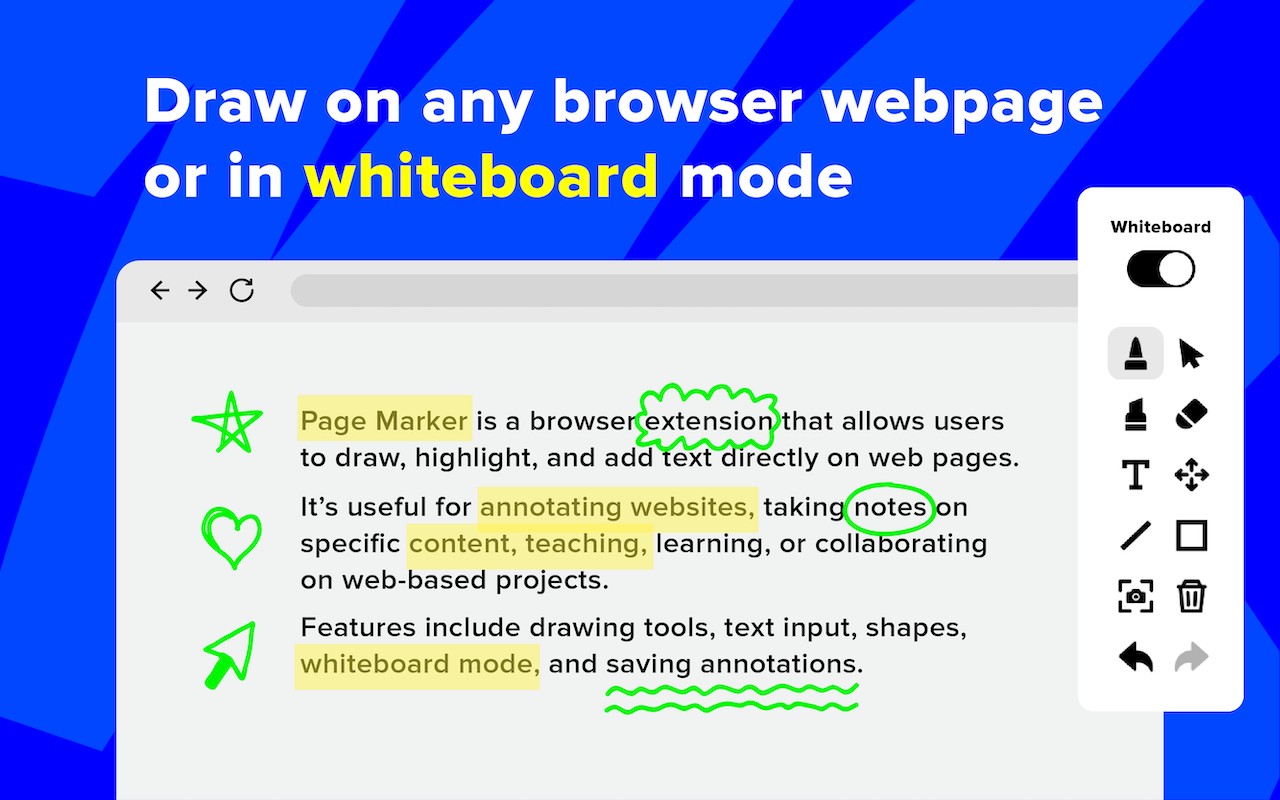
Description
Page Marker Extension turns any webpage into an interactive canvas for drawing, highlighting, and annotation. With a single click, you can activate a drawing mode that overlays the current page, allowing you to mark up text, diagrams, or images as if using a digital pen. This tool is particularly useful during online meetings, where you can annotate shared slides or documents without switching to a separate whiteboard application. It also streamlines code reviews by letting you circle issues directly on the page, and enhances tutorials by enabling real-time highlighting of key points. For brainstorming sessions, the extension can transform the entire browser tab into a blank whiteboard, providing a clean space for sketching ideas. All annotations remain non-destructive, meaning the original page content is preserved underneath.
Key Features
- One-click activation: Instantly toggle drawing mode on any webpage without installing additional software or disrupting your workflow.
- Full-page whiteboard mode: Clear the page to a blank canvas for freehand drawing, ideal for brainstorming or explaining concepts from scratch.
- Pen highlight tool: Add colored highlights over text or areas on the page to emphasize important information during presentations or study sessions.
- Non-destructive overlay: Annotations are drawn on a transparent layer above the page, so the underlying content remains unchanged and fully interactive.
- Useful in meetings: Annotate live web content during video calls to point out specific elements, making collaboration more efficient without switching apps.
- Supports tutorials and code reviews: Draw arrows, circles, or notes to guide viewers through complex code or instructional material, enhancing clarity.
Whether you're a teacher explaining a concept, a developer reviewing code, or a team member brainstorming ideas, Page Marker Extension provides a simple and effective way to annotate directly in the browser. It eliminates the need for external tools and keeps your annotations in context with the original page.
Related


