
Grading Assistant: Grade transferer tool
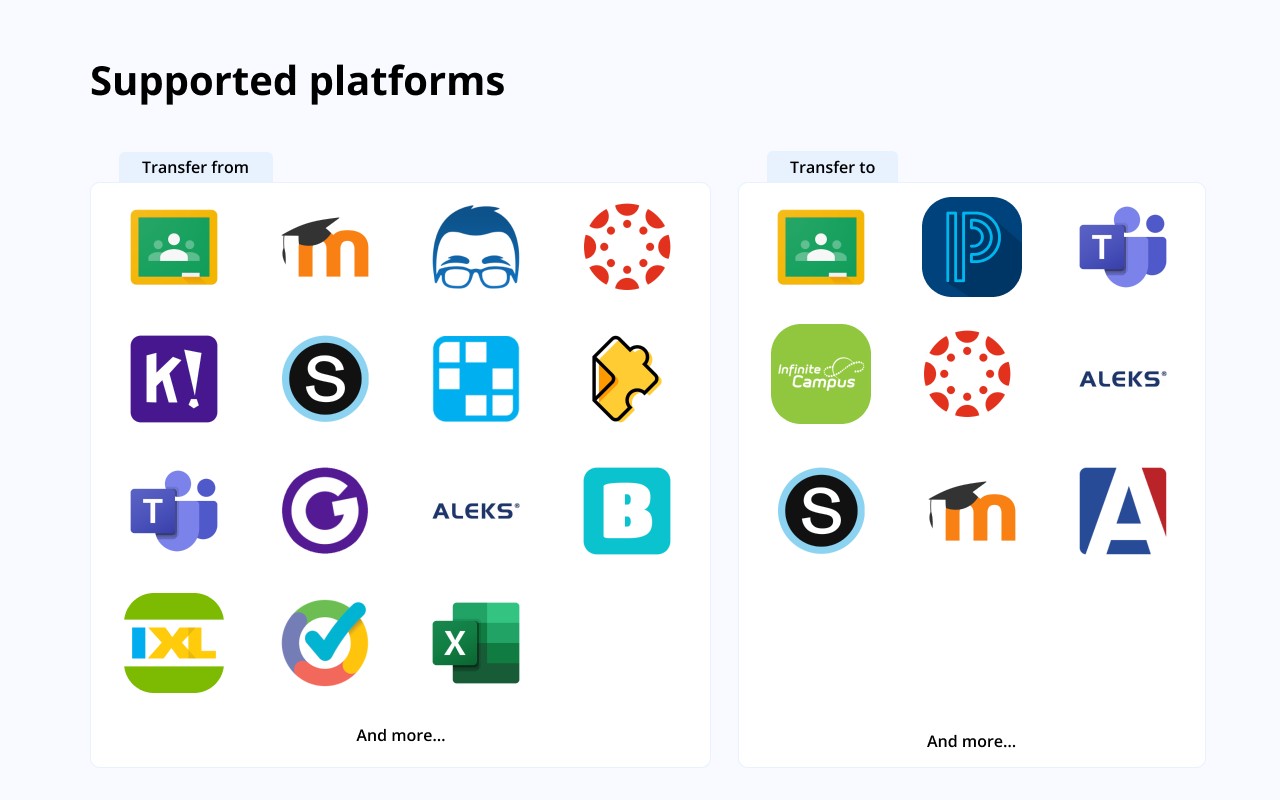
Transfer grades from Classroom, Teams, and other edtech platforms to PowerSchool, Infinite Campus, and more gradebooks.
Description
Grading Assistant is a Chrome extension designed to help teachers transfer student grades from various educational technology platforms directly into supported gradebooks. It supports exporting grades from platforms like Google Classroom, Microsoft Teams, Quizizz, and many others, and importing them into gradebooks such as PowerSchool (PowerTeacher Pro), Infinite Campus, Canvas, and Schoology. The entire process takes place within the browser, ensuring that student data remains encrypted and temporarily stored only on the user's device, with automatic clearing after each transfer.
Key Features
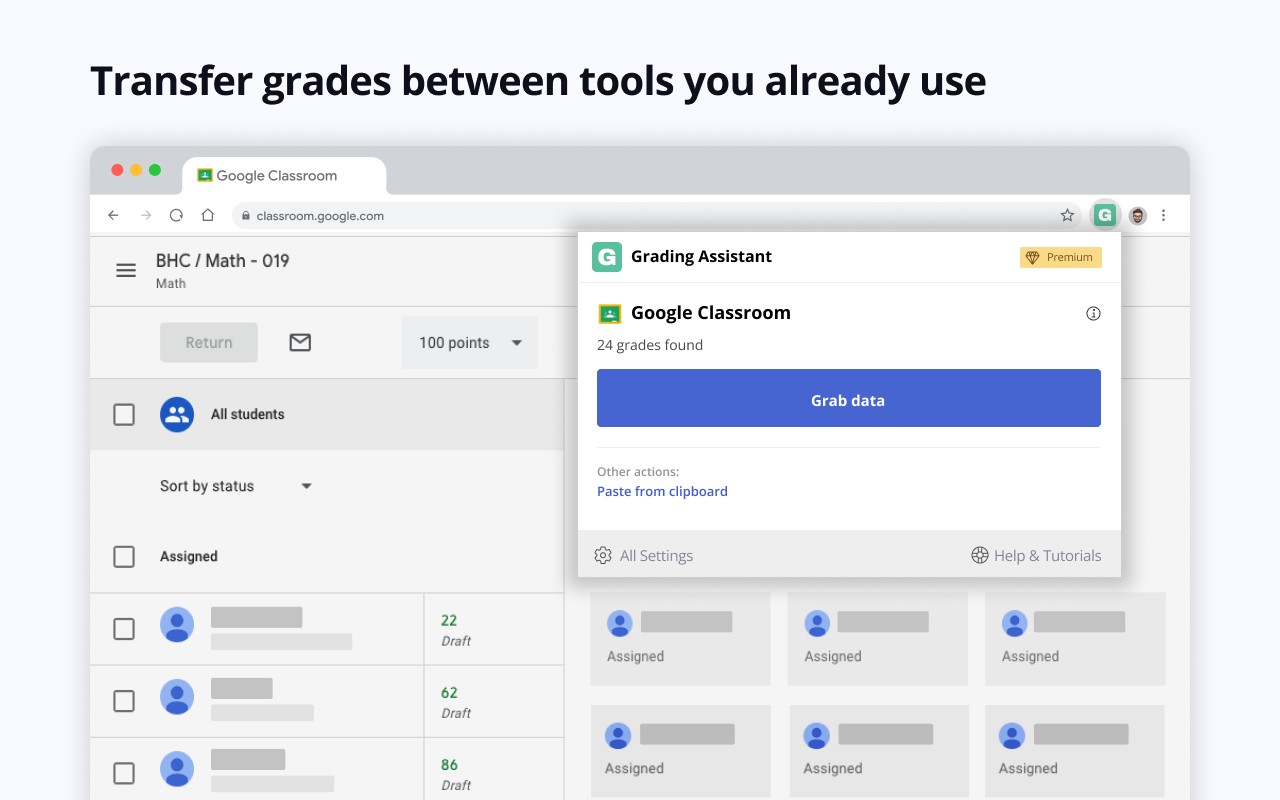
- Auto-Detection of Supported Platforms and Gradebooks: When you open a supported edtech platform or gradebook page, the extension icon turns green, indicating that it can detect student names and grades. This allows you to quickly grab data from the source page and later fill it into the target gradebook.
- Grade Transfer from Multiple Sources: You can copy grades directly from popular edtech platforms or paste grades from spreadsheet software like Google Sheets or Excel using the clipboard read feature. This flexibility supports various workflows, whether you are working with online assignments or offline data.
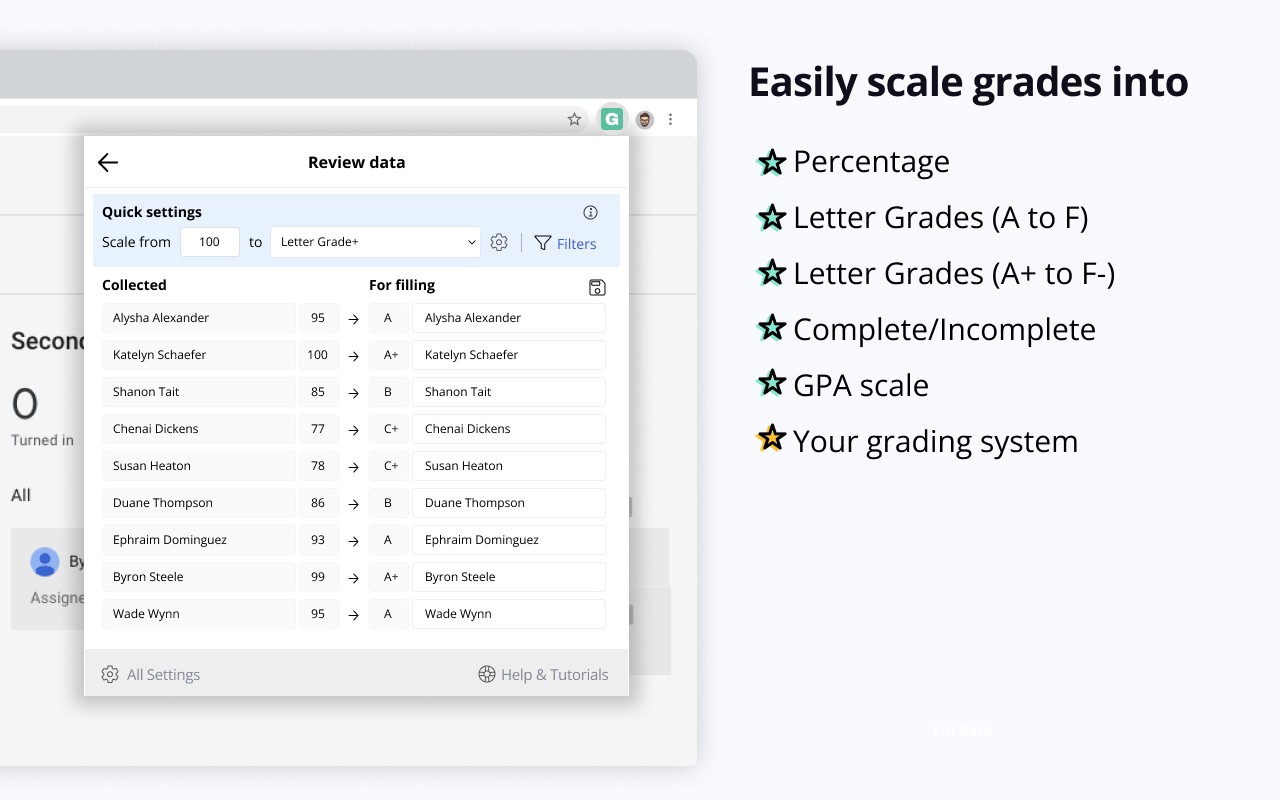
- Grade Scaling: The extension can convert grades on the fly between different grading systems, including percentage, points, letter, GPA, and custom scales. This is particularly useful when the source platform uses one system and the gradebook uses another, ensuring accuracy without manual recalculation.
- Name Replacement and Filtering: To handle discrepancies in student names between platforms, you can set up auto-replacements to fix typos or inconsistencies. Additionally, you can filter out or remove parts of names starting or ending with specific letters, numbers, symbols, or words, making it easier to match students across systems.
- Data Privacy and Security: All student data transferred using the extension is stored encrypted in your browser's local storage and is irrevocably cleared when you click the clear button. The extension does not collect, send, or store any student information on external servers, addressing privacy concerns associated with third-party integrations.
- Step-by-Step Workflow: The extension guides you through the process: after opening a supported source page, click the extension icon and then the "Grab data" button to extract grades. You can then apply scaling, filters, or name replacements before saving settings for future transfers. When ready, open the assignment page in your gradebook and click "Fill data" to automatically match and enter grades based on student names.
- Comprehensive Integration List: A full list of supported edtech platforms and gradebooks is available at grade-assistant.com/integrations, covering over 30 sources and 9 gradebooks. This ensures that most educators will find the tools they already use are compatible.
Grading Assistant is designed to save time by automating grade transfers, reducing errors from manual copying, and protecting student data privacy. Its cost-effective pricing-comparable to a single cup of coffee per month-makes it accessible for teachers looking to streamline their grading workflow. The extension requires permissions for active tab access, scripting, clipboard reading, storage, notifications, and host access to function across different platforms. For more information, documentation, and updates, visit grade-assistant.com.
Related


