
Time Travel
Fakes JavaScript Date and Intl.DateTimeFormat for debugging time-dependent apps without changing system time.
What it does
Permissions and access
Taken from the extension's own manifest file inside the package. The store listing does not spell this out, so it is worth reading before you install.
| Permission | What it allows |
|---|---|
activeTab | Access the current tab when you click the extension |
scripting | Run its own code on pages |
storage | Store its own settings and data |
Requests 3 permissions — extensions doing the same job average 3.9.
Technical details
Show all 4 languages
Description
Time Travel is a browser extension designed for developers who need to test how their web applications behave under different dates, times, and time zones without altering the system clock. It intercepts JavaScript's Date and Intl.DateTimeFormat objects to return a fake date and time of your choosing, making it ideal for debugging time-sensitive features like countdowns, scheduling, or date pickers.
Features
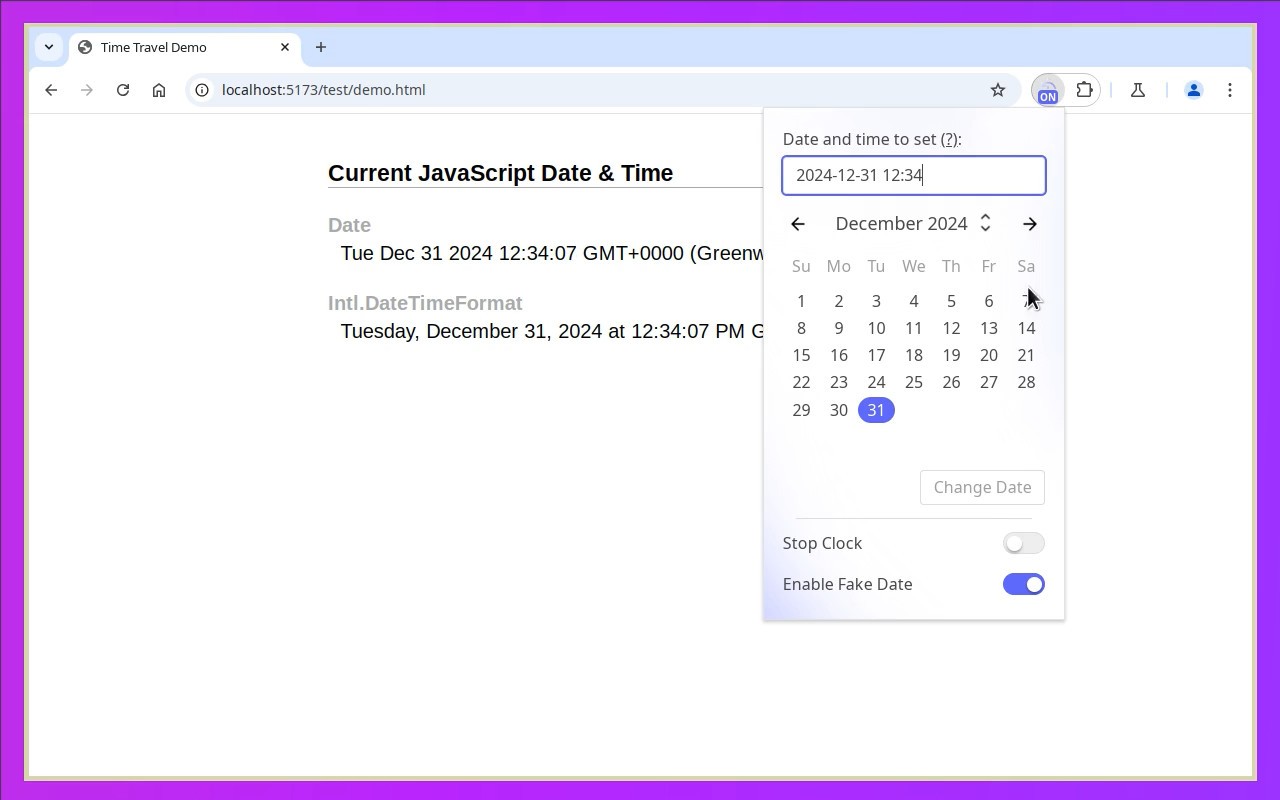
- Fake Date and Time: Set any date and time via a calendar picker or manual input. The extension overrides all methods of
DateandIntl.DateTimeFormatin the current tab, so new Date(), getTime(), toLocaleString(), and similar calls return the fake values. This is useful when you need to simulate a specific scenario, such as testing a deadline on a future date or verifying behavior on a leap day. - Time Zone Override: In the Options page, enable "Change Time Zone" and select any time zone from the dropdown. When active, both
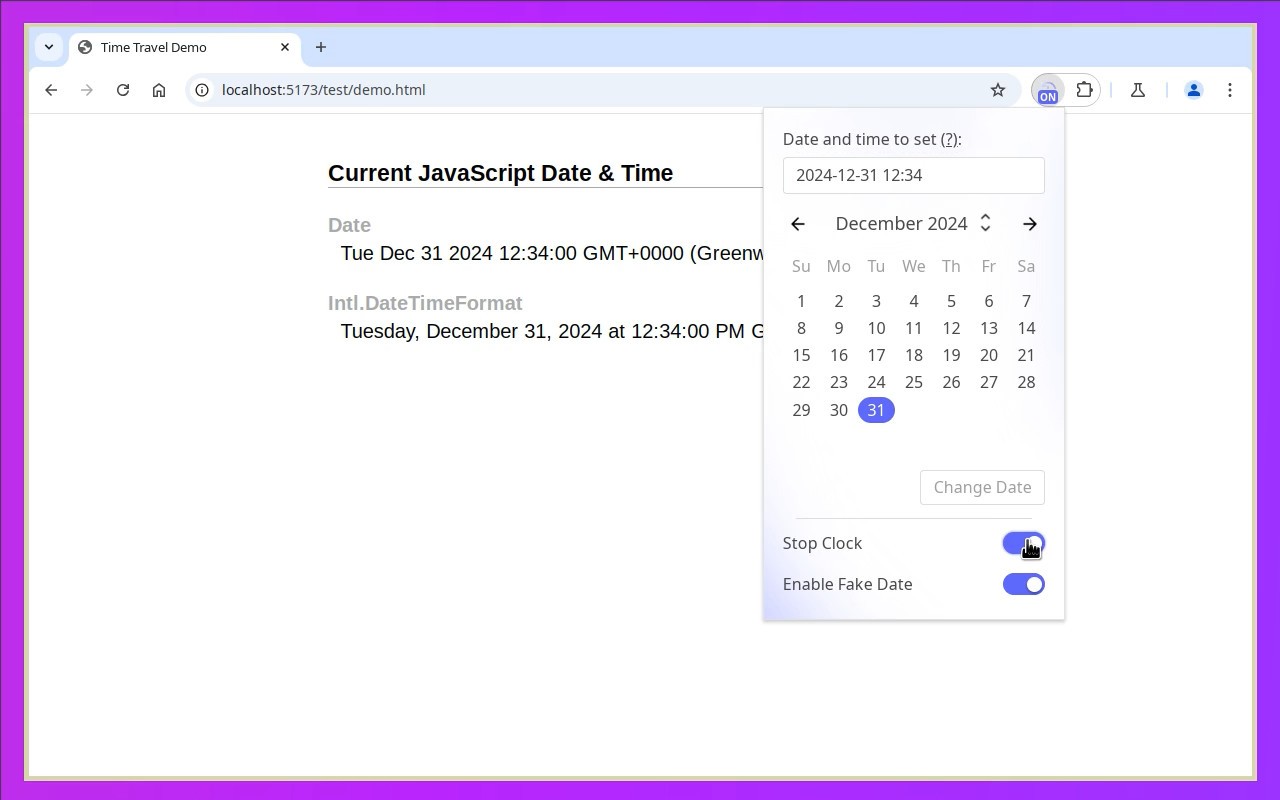
DateandIntl.DateTimeFormatwill use the selected time zone instead of the system time zone. The UI still shows the fake date in the system time zone, but a preview displays the equivalent time in the configured time zone along with the DST offset. This helps you test how your app handles time zone conversions and daylight saving transitions. - Clock Control: The fake clock runs forward from the configured time by default. You can stop the clock by enabling the "Stop Clock" toggle; the fake date will then remain fixed at the last set value. Resuming the clock continues from that point. This is handy for testing scenarios where time should not advance, such as freezing a video timestamp or debugging a paused animation.
- Automatic Page Reload: Optionally, the extension can reload the page automatically after you change the date. This ensures that all JavaScript code runs with the new fake time from the start, which is necessary because some scripts may cache the initial date. Note that on first activation, Chrome requires a manual reload to apply the changes.
- Minimal Permissions: The extension only affects the active tab after you click its icon. Other tabs and browser origins remain untouched, so you can test one page without interfering with others. No broad access to your browsing data is needed.
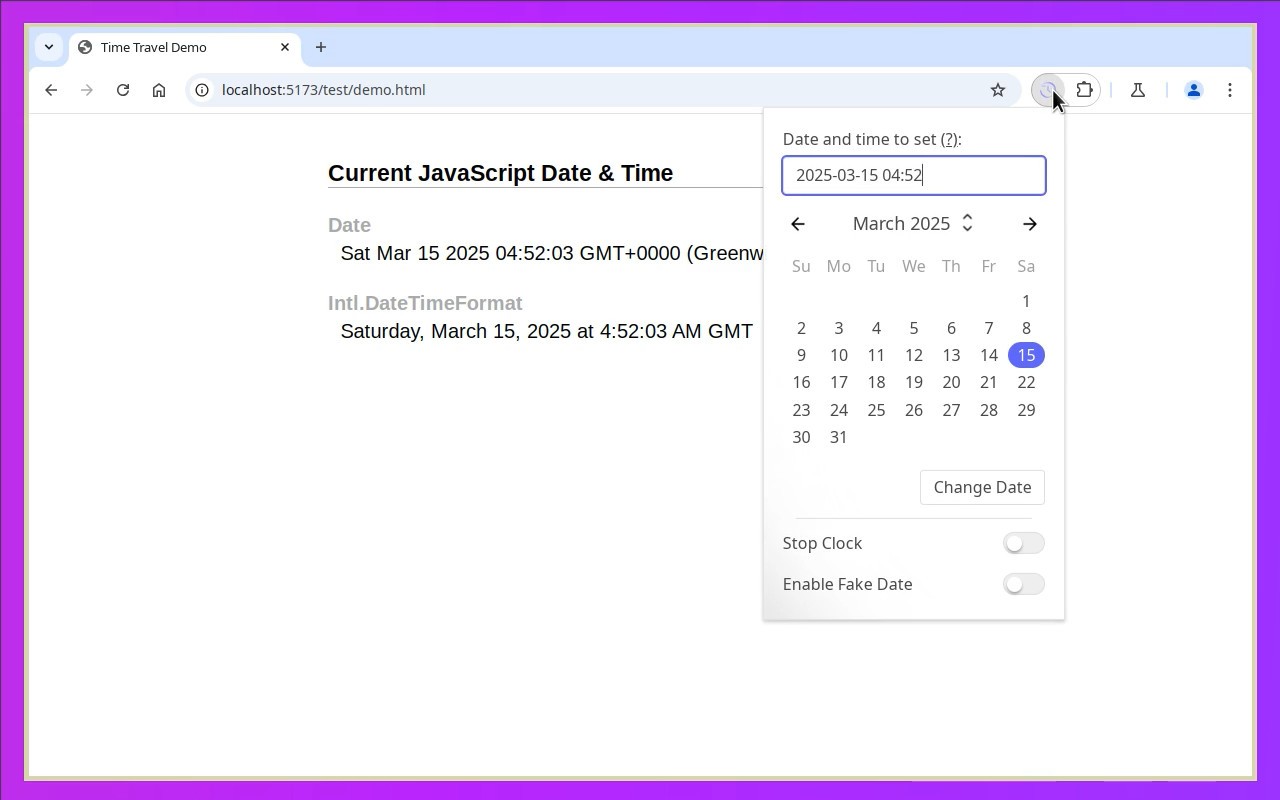
To use Time Travel, open the tab you want to modify, click the extension icon in the toolbar, then select a date and time. Confirm with Enter or the "Change Date" button. The fake date applies only to JavaScript in that tab. To revert to the system time, click the icon and disable the "Enable Fake Date" toggle. The extension supports various input formats, including ISO strings (e.g., 2025-04-27T12:40Z), UNIX timestamps (e.g., 1731493140025), and localized date-time strings. It works with DST transitions, but note that iframes with the sandbox attribute are not affected, and stopping the clock may cause unusual behavior in animations or time-dependent functions. The extension is open source under the MIT license.
Extensions that do the same job
Matched by what these extensions actually do, not by store category, and sorted so the ones asking for the least access come first.
| Extension | Site access | Permissions | Users | Rating |
|---|---|---|---|---|
| Time Travel — this page | Limited | 3 | 30K | 4.3★ |
| Figma | Limited | 4 | 200K | 4.2★ |
| GitZip for github | Limited | 2 | 100K | 4.1★ |
| IP Address and Domain Information | Limited | 1 | 100K | 4.4★ |
| Lightning Studio | Limited | 3 | 100K | 3.9★ |
| Pixel Measurement | Limited | 3 | 100K | 4.5★ |
| AI Code Finder, Alerts, Ask Questions about Papers: CatalyzeX | Limited | 3 | 50K | 4.8★ |
Store data last checked August 14, 2026.