
Auto Label for Google Gmail™ by cloudHQ
Automatically creates Gmail filters and labels for clients, leads, prospects, opportunities, team, and suppliers.
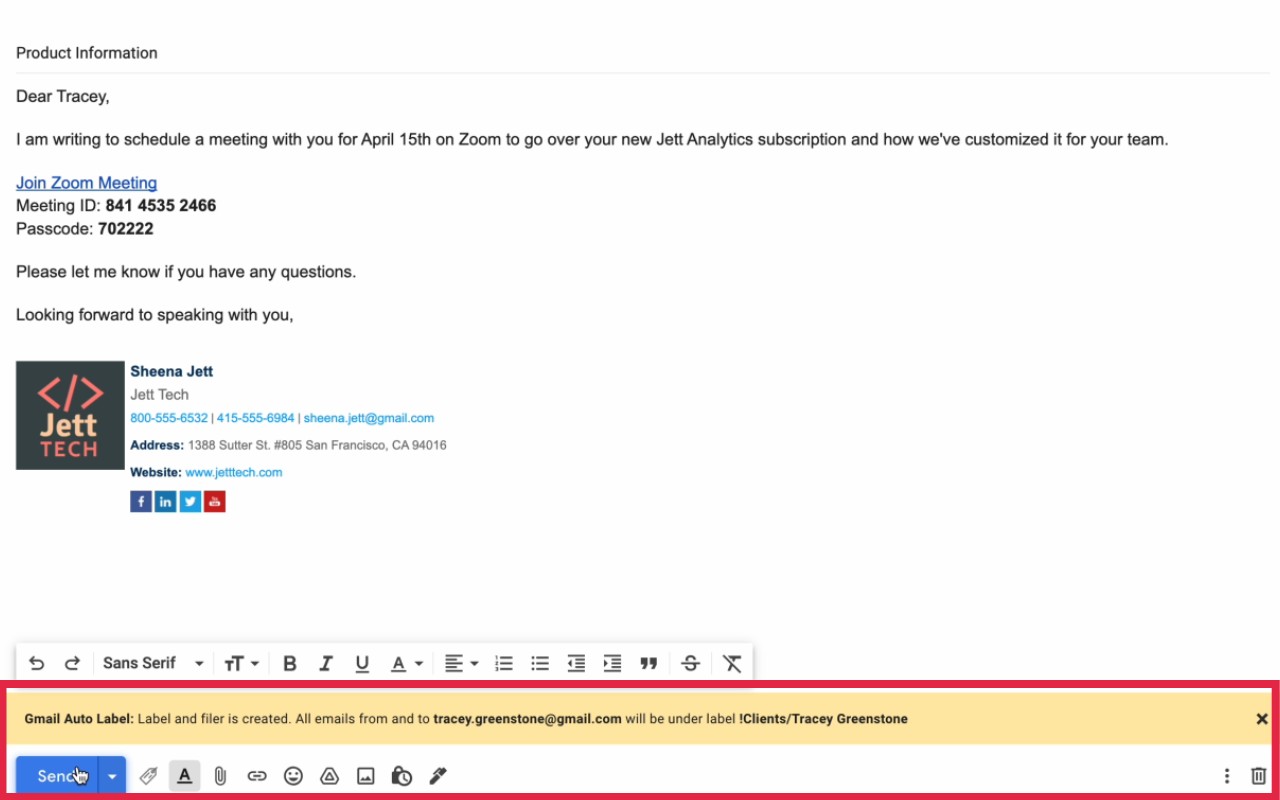
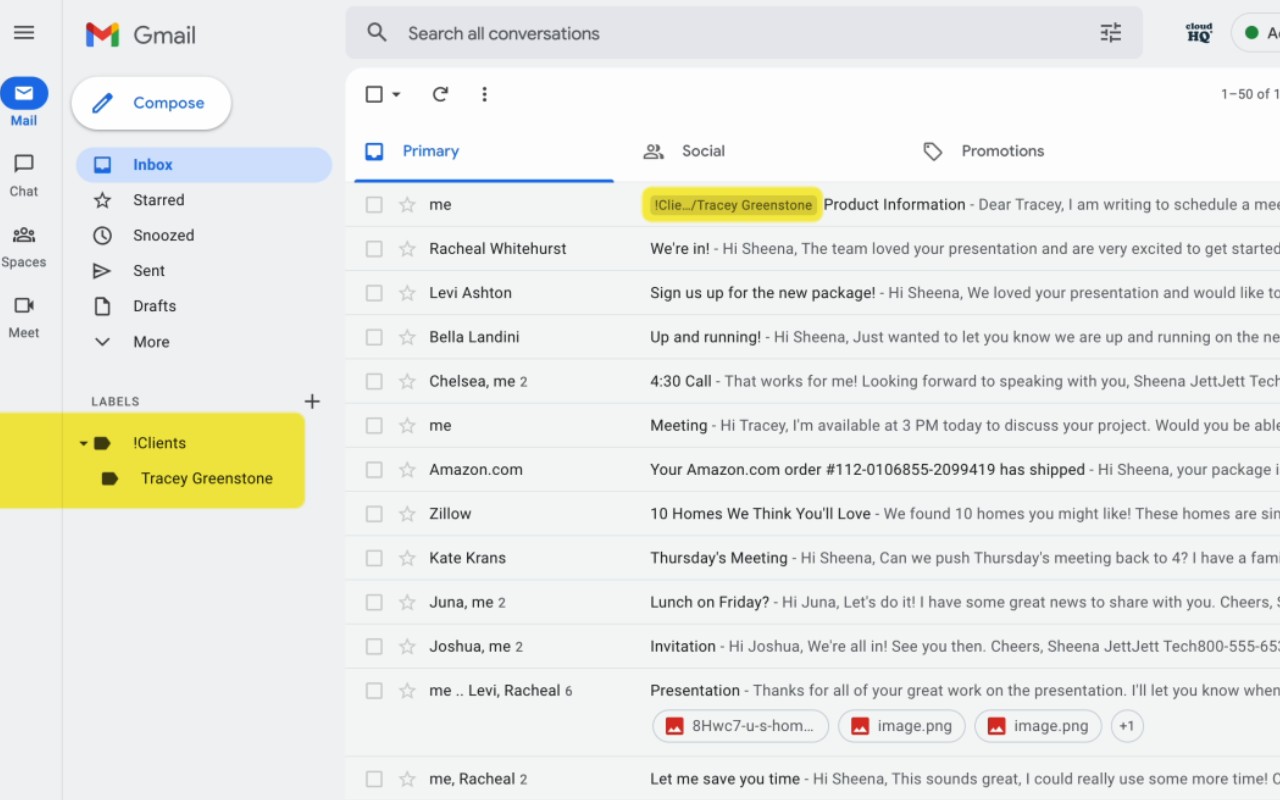
What it does
Permissions and access
Taken from the extension's own manifest file inside the package. The store listing does not spell this out, so it is worth reading before you install.
| Permission | What it allows |
|---|---|
background | Keep running in the background |
scripting | Run its own code on pages |
storage | Store its own settings and data |
Requests 3 permissions — extensions doing the same job average 4.6.
Technical details
Description
Auto Label for Google Gmail™ by cloudHQ is a productivity tool that automatically categorizes your emails by client, lead, prospect, opportunity, team, or supplier. It does this by creating Gmail filters based on the sender's email address or domain, and then applying one of six predefined labels to matching messages. This saves you from manually sorting emails and ensures that every important conversation is neatly organized right in your inbox.
Key Features
- One-click filter creation: While composing an email, simply enter the recipient's address and click the "Gmail Auto Label" button to assign a label. The extension instantly creates a filter that will apply that label to all current and future emails from that sender or domain.
- Automatic organization of old emails: Unlike basic filtering, this extension goes back through your entire mailbox and applies the chosen label to all existing email exchanges with that contact or domain. This means you don't have to manually archive or sort years of correspondence-it's done for you.
- Six predefined categories: The extension uses six Gmail labels that cover the typical business relationships: Clients (your current paying customers), Leads (potential prospects not yet qualified), Prospects (qualified leads where the contact has buying authority), Opportunities (when the contact is actively considering your product or service), Team (your internal colleagues), and Suppliers (external partners you've hired).
- Domain-based labeling: You can choose to filter by the entire domain (e.g., @company.com) instead of a single email address. This is useful when you communicate with multiple people from the same organization and want all their emails grouped together.
- Easy management: The extension integrates seamlessly with Gmail's interface, adding a button that lets you quickly assign labels without leaving your compose window. You can also manage or delete the filters it creates from Gmail's settings.
This extension is ideal for sales professionals, account managers, freelancers, and anyone who juggles multiple clients and contacts. By automatically categorizing emails, you can quickly find conversations, prioritize follow-ups, and keep your inbox clutter-free. Best of all, the extension is completely free to use.
Extensions that do the same job
Matched by what these extensions actually do, not by store category, and sorted so the ones asking for the least access come first.
| Extension | Site access | Permissions | Users | Rating |
|---|---|---|---|---|
| Auto Label for Google Gmail™ by cloudHQ — this page | Limited | 3 | 3K | 4.7★ |
| Virtru Email Protection | Limited | 2 | 700K | 3.9★ |
| Docusign eSignature for Chrome | Limited | 2 | 300K | 4.3★ |
| Ghostwrite: ChatGPT Email Assistant | Limited | 3 | 20K | 4.0★ |
| Email Signature Rescue - Browser Extension | Limited | 3 | 10K | 4.1★ |
| Gmail Message Preview by cloudHQ | Limited | 3 | 10K | 4.0★ |
| Outlook Email Templates by cloudHQ | Limited | 2 | 3K | 5.0★ |
Store data last checked August 17, 2026.