
Geolocation Plugin for PhotoPrism
Adds an interactive Google Map to PhotoPrism for selecting and updating photo locations, with bulk support.
Description
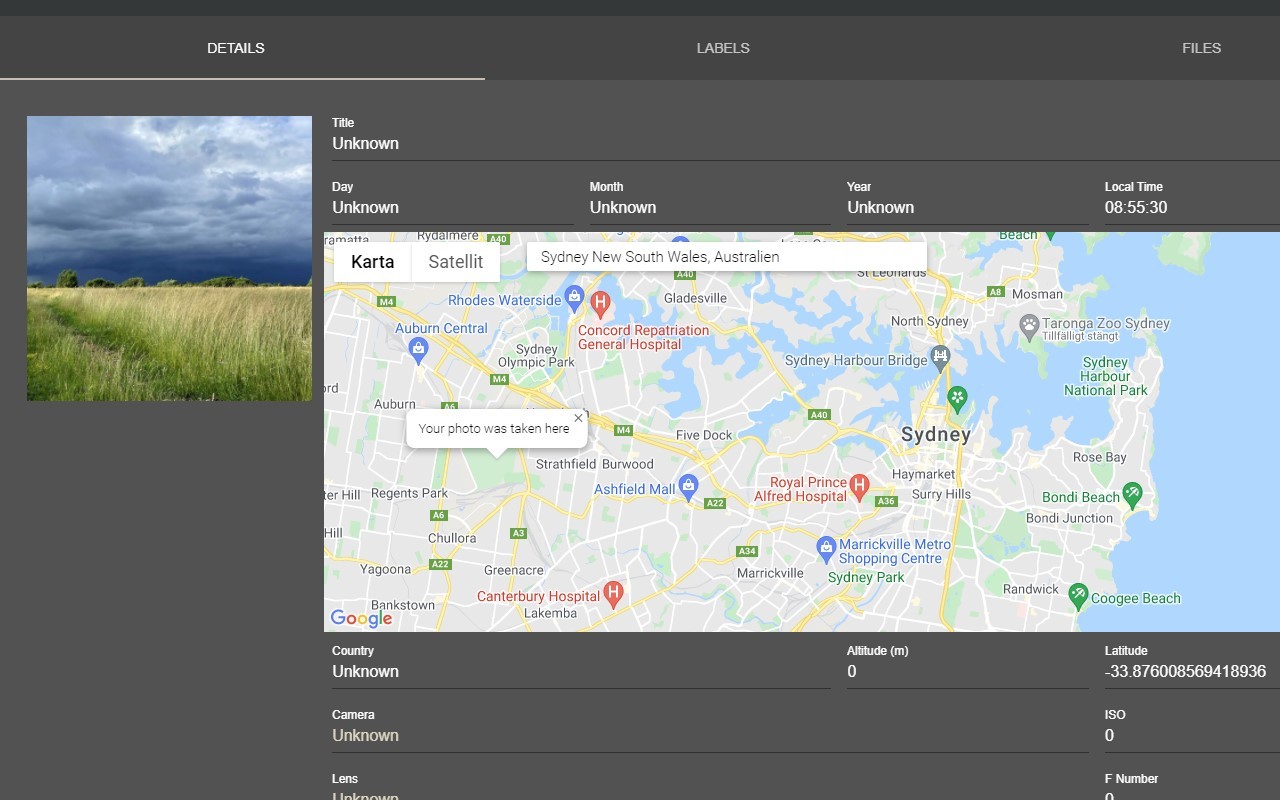
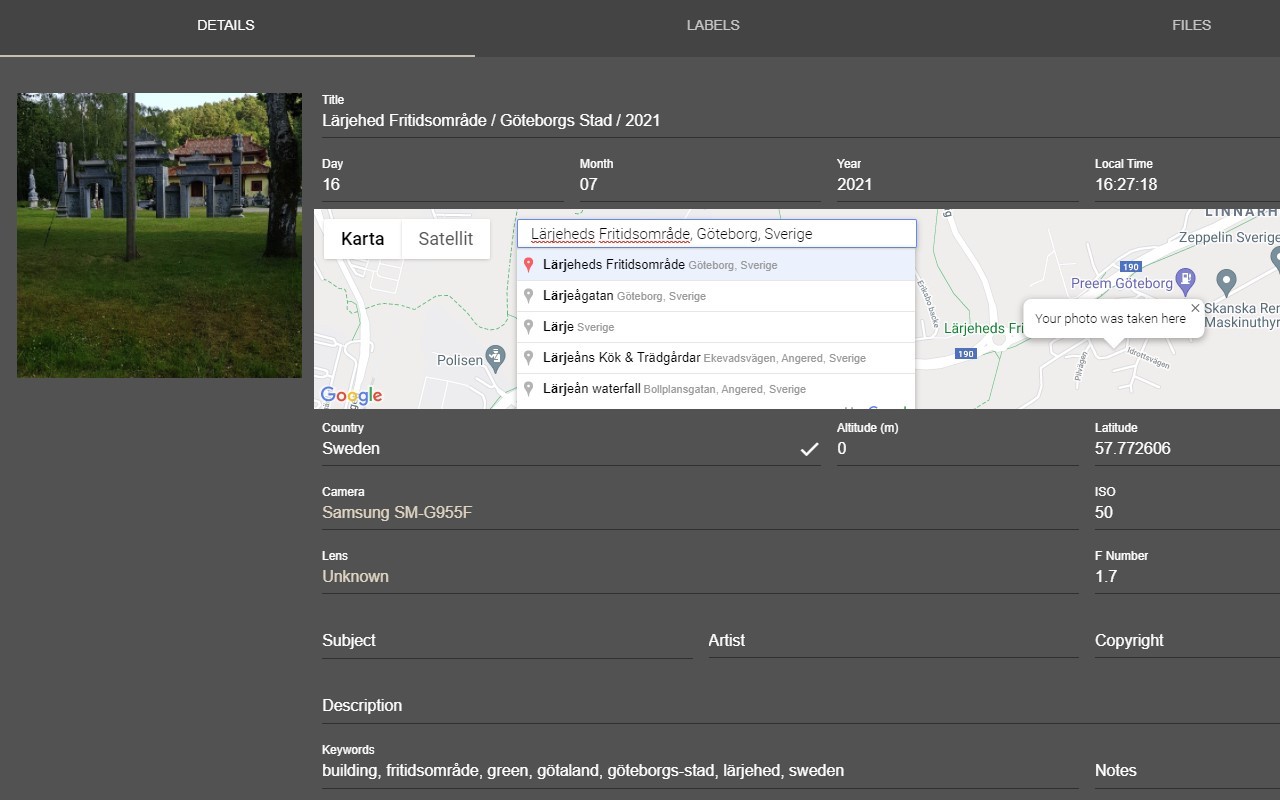
This extension integrates a location selection interface directly into PhotoPrism, a popular photo management application. It adds an interactive map to the Details tab of individual photo pages, allowing you to assign geographic coordinates to your images without leaving the app. When you open a photo from either the Browse or Library sections, you will see a new map panel alongside the existing metadata. Clicking anywhere on the map instantly updates the latitude and longitude fields for that photo. You can also use the built-in search box to type a place name or address; selecting a suggestion from the autocomplete results will automatically set the coordinates to that location. This is particularly useful for batch tagging vacation photos or organizing images taken at specific landmarks.
Key Features
- Graphical Map Interface: A full-size Google Maps widget appears in the Details tab. You can pan, zoom, and click to pinpoint the exact spot where a photo was taken. The map updates the photo's GPS coordinates in real time, eliminating the need to manually enter numbers.
- Place Search: Instead of clicking, you can search for cities, addresses, or points of interest using the search field. The extension queries Google's geocoding service and presents a list of matches. Selecting a result populates the coordinates instantly, which is handy when you remember the name of a location but not its exact position on the map.
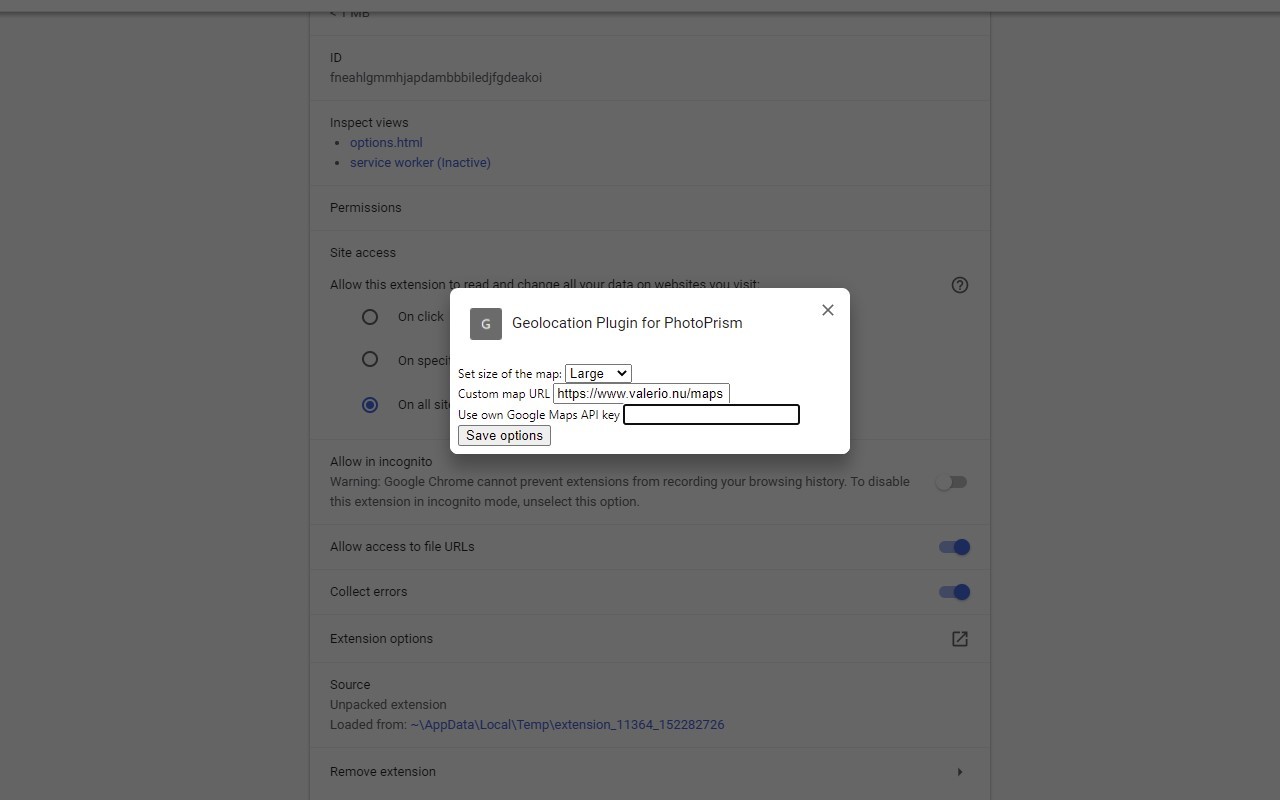
- Adjustable Map Size: In the extension's options page, you can change the dimensions (width and height) of the map embedded in PhotoPrism. This allows you to tailor the interface to your screen size or personal preference-for example, making the map larger for easier clicking on small details or smaller to leave more room for other panels.
- Bulk Location Update: To assign the same location to multiple photos at once, first select the desired images using PhotoPrism's built-in multi-select (checkbox or shift-click). A map pin icon will appear in the bottom-right corner of the screen, where the selection count is normally displayed. Clicking this icon opens a full-screen map overlay in the center of the page. After choosing a location on that map, click the save icon (also in the bottom-right corner) to apply the coordinates to all selected photos. This is ideal for geotagging an entire album from a single trip.
- Compatibility with PhotoPrism Authentication: Version 2.3 addresses a breaking change in how PhotoPrism handles user authentication. The extension now works seamlessly with the latest PhotoPrism releases while maintaining backward compatibility with older versions. If you encounter a 401 Unauthorized error, the developer encourages you to report it for further troubleshooting.
The map provider is Google Maps, hosted by Valerio Technologies AB. The extension does not modify your photos' original files; it only writes location metadata into PhotoPrism's database. Whether you are a casual photographer organizing a family gallery or a professional cataloging a large image library, this tool streamlines the process of adding geographic context to your pictures.
Related


