
konami2popup
Opens the current page in a popup window when the Konami code is entered or via context menu.
Description
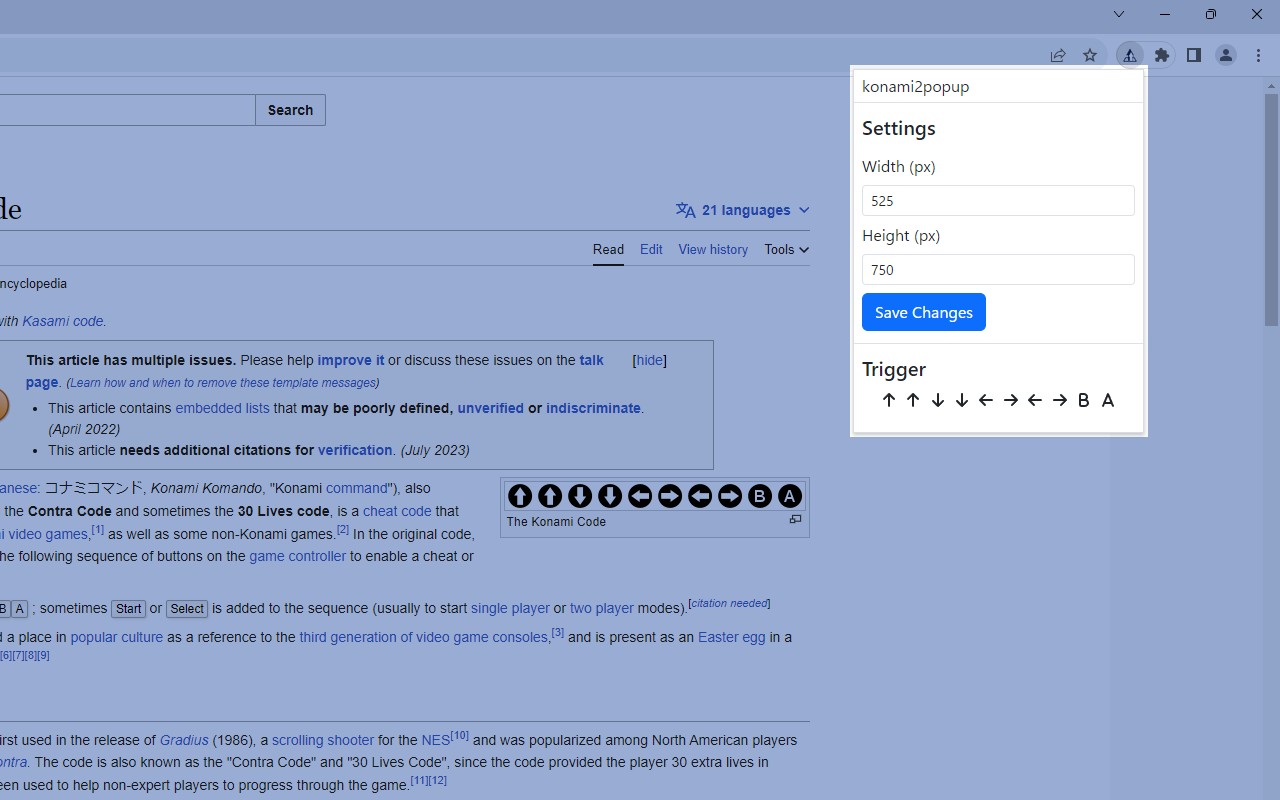
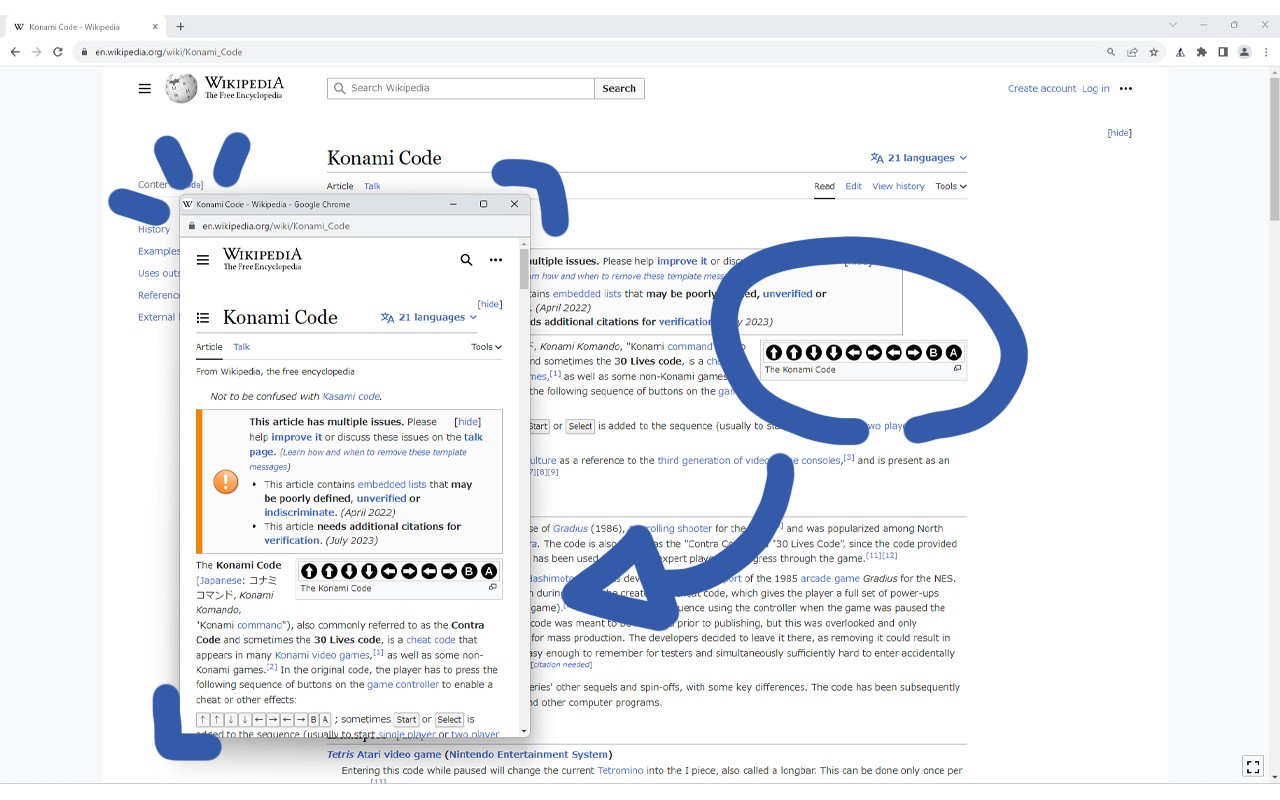
The konami2popup extension allows you to trigger a popup window displaying the current webpage by entering the classic Konami code: ↑↑↓↓←→←→BA. This is particularly useful for web developers and designers who need to quickly preview how a site looks at a specific screen size. Instead of manually resizing the browser window or using developer tools, you can simply type the code to open a resizable popup with the page loaded at your chosen dimensions. The popup size can be configured in the extension settings, making it easy to test responsive layouts for different devices.
Features
- Konami Code Trigger: After loading a page, press the key sequence ↑↑↓↓←→←→BA to instantly open the current URL in a separate popup window. The popup dimensions are predefined in the extension options, allowing you to test specific viewport sizes without manual adjustments.
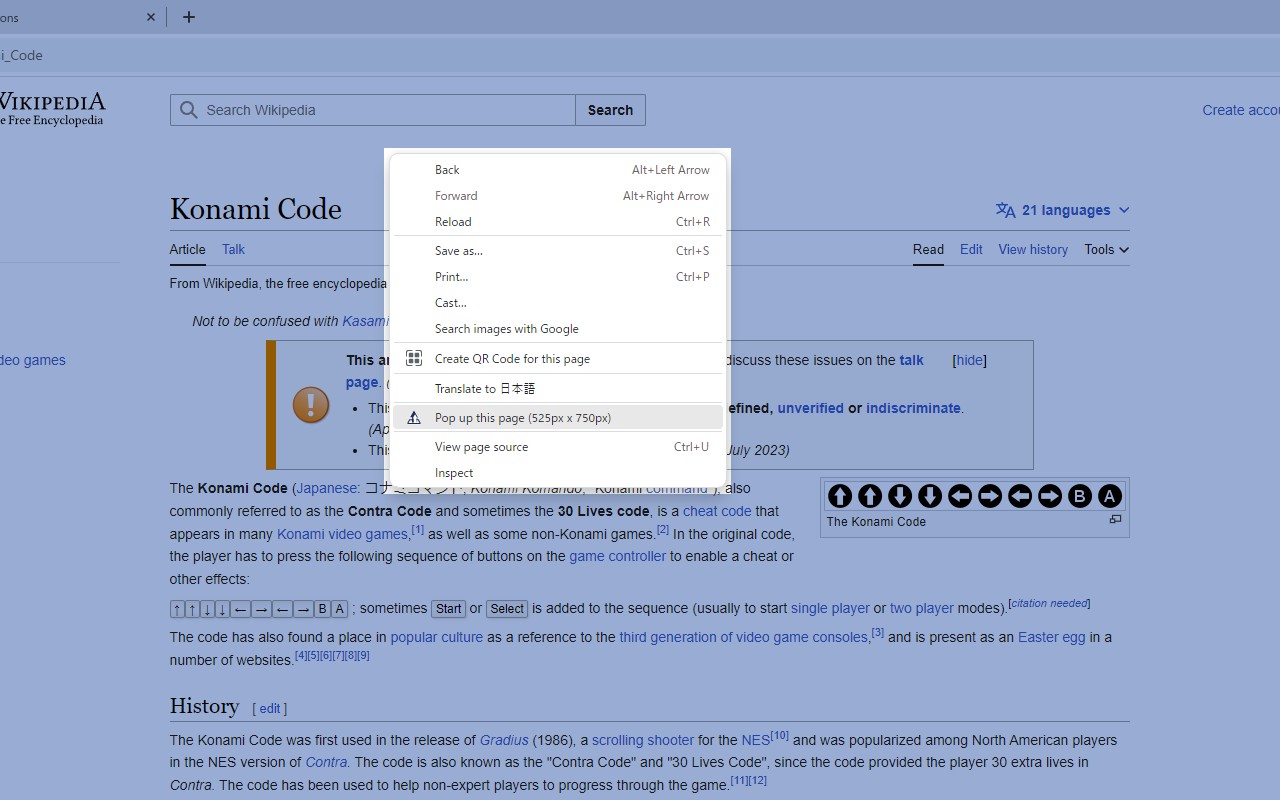
- Context Menu Access: If you prefer not to use the keyboard shortcut, you can right-click anywhere on the page and select the extension's context menu option to open the popup. This provides an alternative method for users who may have difficulty with the key sequence or want quicker access.
- Configurable Popup Size: The extension lets you set the width and height of the popup window in its options page. This is ideal for simulating mobile, tablet, or desktop screen resolutions to verify that your website renders correctly across different breakpoints.
- Privacy-First Keystroke Monitoring: The extension listens for keystrokes only to detect the Konami code pattern. No keystroke data is ever sent to external servers or stored locally. Once the code is entered, the monitoring stops until the page is reloaded or a new page is loaded.
- Reload Requirement: If the code does not trigger the popup, simply reload the page and try again. This ensures the keystroke listener is properly initialized on the current page.
In summary, konami2popup combines a nostalgic cheat code with practical web development testing. Whether you are checking responsive designs or practicing keyboard input, this extension offers a quick and private way to preview pages at custom screen sizes without leaving your current tab.
Related


