
In-Site History
Shows the number of visits and a list of past visits for the current website in your browser toolbar.
Description
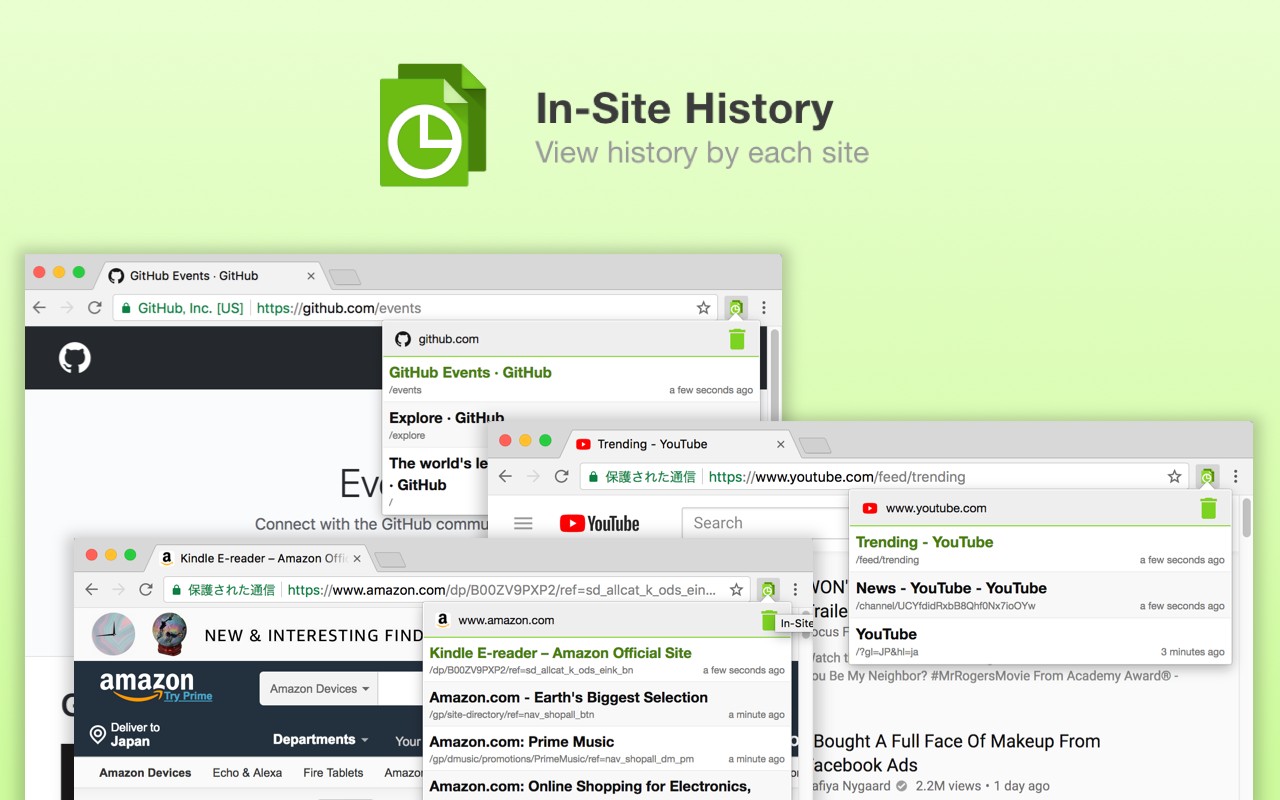
In-Site History is a Chrome extension that provides a quick and clear overview of your browsing history for the current website you are visiting. Instead of digging through the full history manager, you can instantly see how many times you have visited a specific page and when you were last there. This is especially useful when you want to revisit a page you found earlier but cannot remember exactly when, or when you need to confirm whether you have already seen certain content on a site. The extension displays the visit count directly on the toolbar icon, so you get immediate feedback without opening any panels. Clicking the icon opens a popup with a list of your recent visits to that domain, including timestamps. This helps you track your browsing patterns and quickly navigate back to previously viewed pages.
Key Features
- Visit Count on Icon: The toolbar badge shows the number of times you have visited the current URL. When you land on a page, you can immediately see if it is new or familiar, without any extra clicks.
- Detailed Visit List: Click the extension icon to view a chronological list of your visits to the current domain. Each entry includes the date and time of the visit, making it easy to find when you last viewed a page.
- Quick Navigation: From the popup list, you can click on any past visit to reopen that page in a new tab. This is handy when you remember visiting a page but lost it in your bookmarks or history.
- Privacy-Friendly: All data is stored locally in your browser; no information is sent to external servers. The extension only accesses history data for the current domain to generate the visit list.
- Lightweight and Simple: The extension runs with minimal permissions and does not slow down your browser. Its interface is straightforward, focusing on the essential information you need about your browsing history for the current site.
In-Site History is ideal for researchers, shoppers, or anyone who frequently revisits pages and wants to keep track of their browsing activity on a per-site basis. For example, when comparing products across multiple tabs, you can quickly see which product pages you have already visited. Or, when reading a long article, you can confirm that you have seen it before. The extension integrates seamlessly into Chrome's toolbar and provides a practical way to leverage your browsing history without leaving the current page.
Related


