
Privacy Extension for WhatsApp web
Blurs messages, media, names, and profile pics on WhatsApp Web until hover; customizable blur intensity and one-click
Description
The Privacy Extension for WhatsApp Web helps you keep your conversations and media private by blurring sensitive content until you decide to reveal it. Whether you are screen sharing during a meeting, working in a public space, recording a tutorial, or streaming live, this extension gives you granular control over what others can see on your screen. Instead of manually hiding each element, you can toggle all privacy features instantly with one click, making it easy to protect your data without interrupting your workflow.
Features
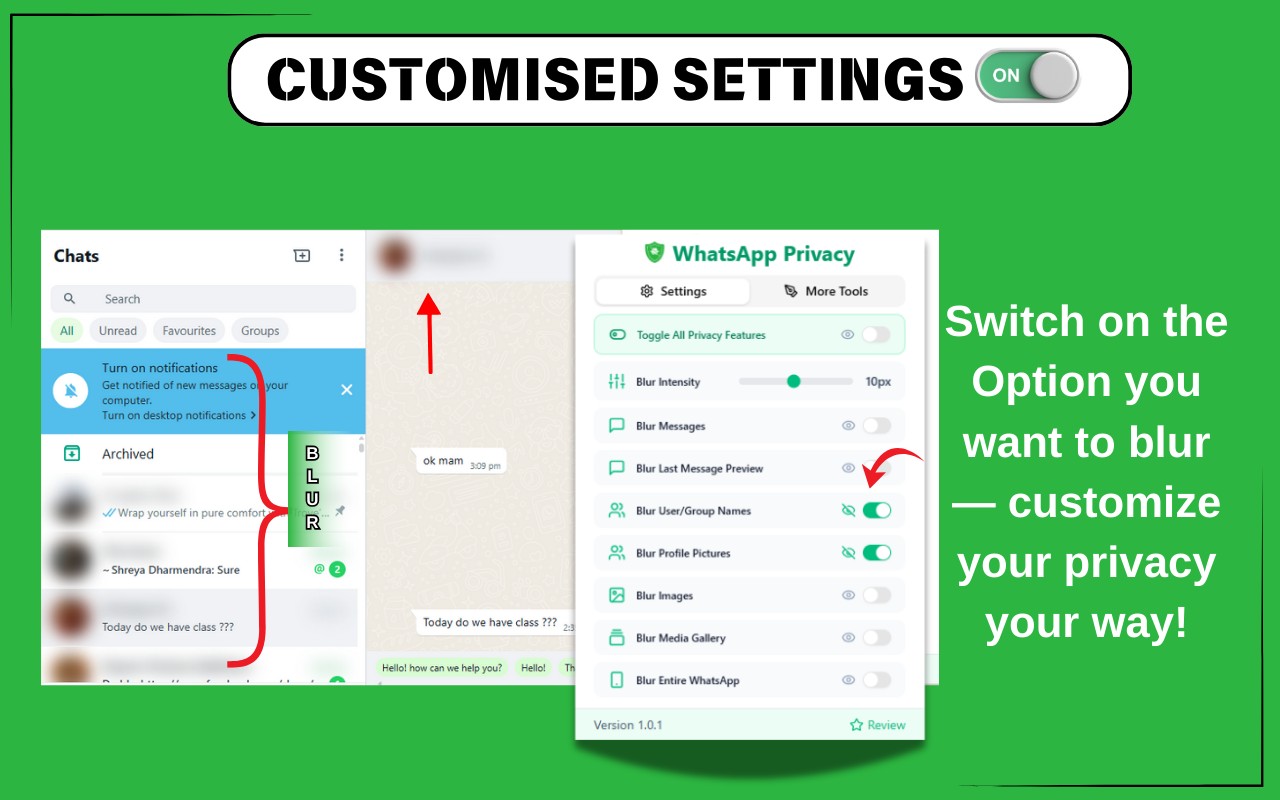
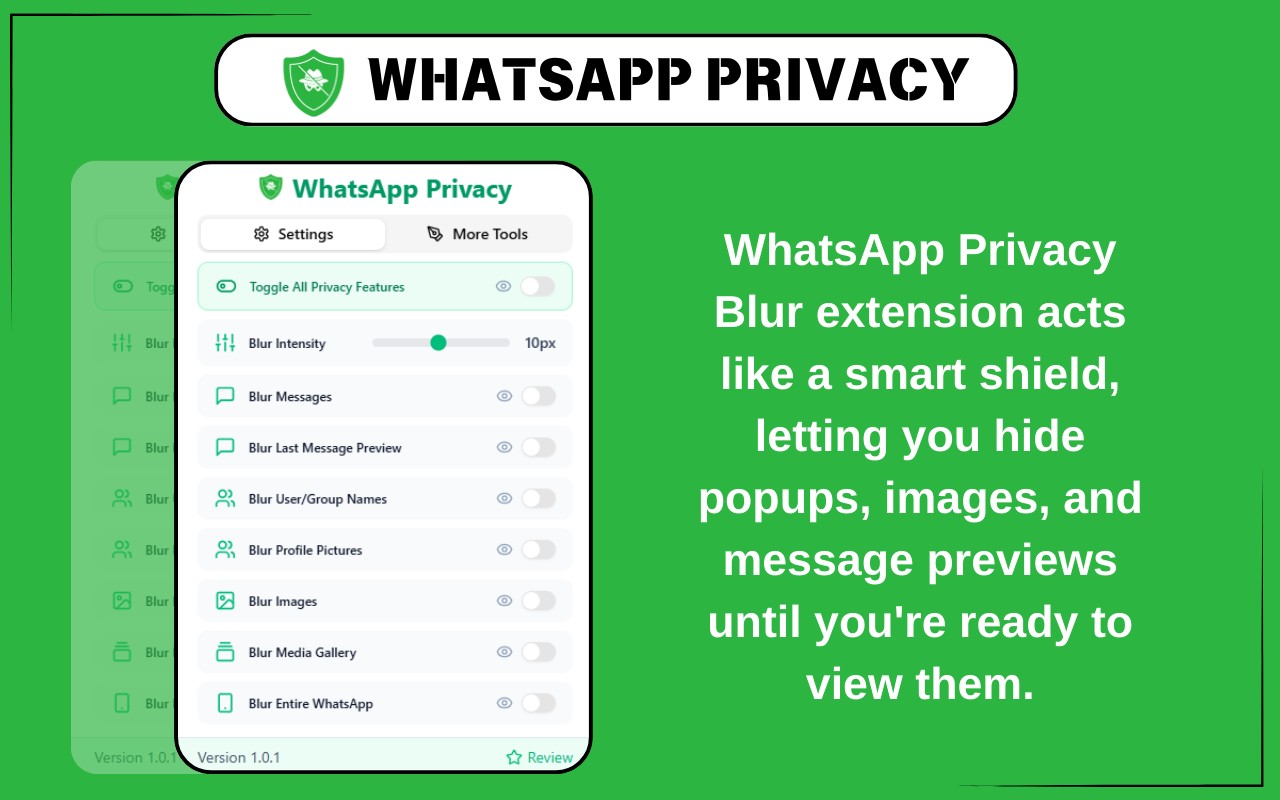
- Toggle All Privacy Features Instantly: With a single click, you can blur all supported elements on WhatsApp Web simultaneously. This is particularly useful when you need to quickly hide sensitive information during unexpected screen shares, presentations, or when someone walks by your desk. No need to configure individual settings each time.
- Adjustable Blur Intensity: A simple slider lets you control how strong the blur effect appears. You can set a light blur that still shows some color and shape, or a heavy blur that completely obscures text and images. This customization allows you to balance privacy with usability-for example, a light blur may suffice in a low-risk environment, while a heavy blur is better for public screens.
- Blur Messages: Hide the text content of individual messages within chats. When enabled, message bodies are blurred until you manually hover over or click to unblur them. This is ideal for keeping chat logs private while still being able to read them yourself when needed.
- Blur Last Message Preview: Prevent chat previews from showing recent messages in your chat list. This stops anyone glancing at your screen from reading snippets of conversations. It's especially useful for professionals who frequently share their screen in meetings or for content creators who record WhatsApp Web.
- Blur User and Group Names: Conceal contact names and group titles throughout the interface. By hiding names, you maintain anonymity when sharing your screen, which is helpful for protecting the identities of your contacts or when demonstrating WhatsApp without revealing personal details.
- Blur Profile Pictures: Automatically blur all profile photos displayed on WhatsApp Web, including those in the chat list, chat header, and contact info. This safeguards the visual identity of your contacts and prevents unintended exposure of personal images.
- Blur Images and Videos: Blur all media content-such as photos, GIFs, and videos-by default. Media remains hidden until you choose to reveal it, ensuring that sensitive visuals stay private during screen sharing or when others are nearby.
- Blur Entire WhatsApp Interface: Instantly blur the whole WhatsApp Web interface, including chats, sidebars, and headers. This is a quick emergency measure to hide everything on screen at once, perfect for unexpected interruptions or when you need to step away from your computer.
- Blur Media Gallery: Blur the entire Media Gallery section where all shared images, videos, and documents are stored within a chat. This prevents exposure of your full media history when scrolling through a conversation. It is particularly useful for professionals and privacy-conscious users who often share screens or record tutorials that involve browsing media.
This extension is designed for anyone who values privacy on WhatsApp Web-whether you are a professional handling sensitive communications, a streamer broadcasting live, a student working in a shared space, or simply someone who wants to keep their chats and media away from prying eyes. It is lightweight, fast, and easy to use, with no impact on WhatsApp's core functionality. Please note that this extension is an independent tool and is not affiliated with or endorsed by WhatsApp or Meta Platforms, Inc. Use it in compliance with WhatsApp's terms and conditions.
Related


