
Privacy Extension For Telegram Web
Blurs messages, media, and profile pictures on Telegram Web until you hover over them.
Description
Privacy Extension for Telegram Web is a browser extension designed to enhance your privacy when using Telegram Web. It allows you to hide sensitive information such as messages, media, profile pictures, and more until you intentionally hover over them. This is particularly useful when screen sharing, recording, working in public spaces, or simply wanting to prevent others from glancing at your private conversations.
Core Features
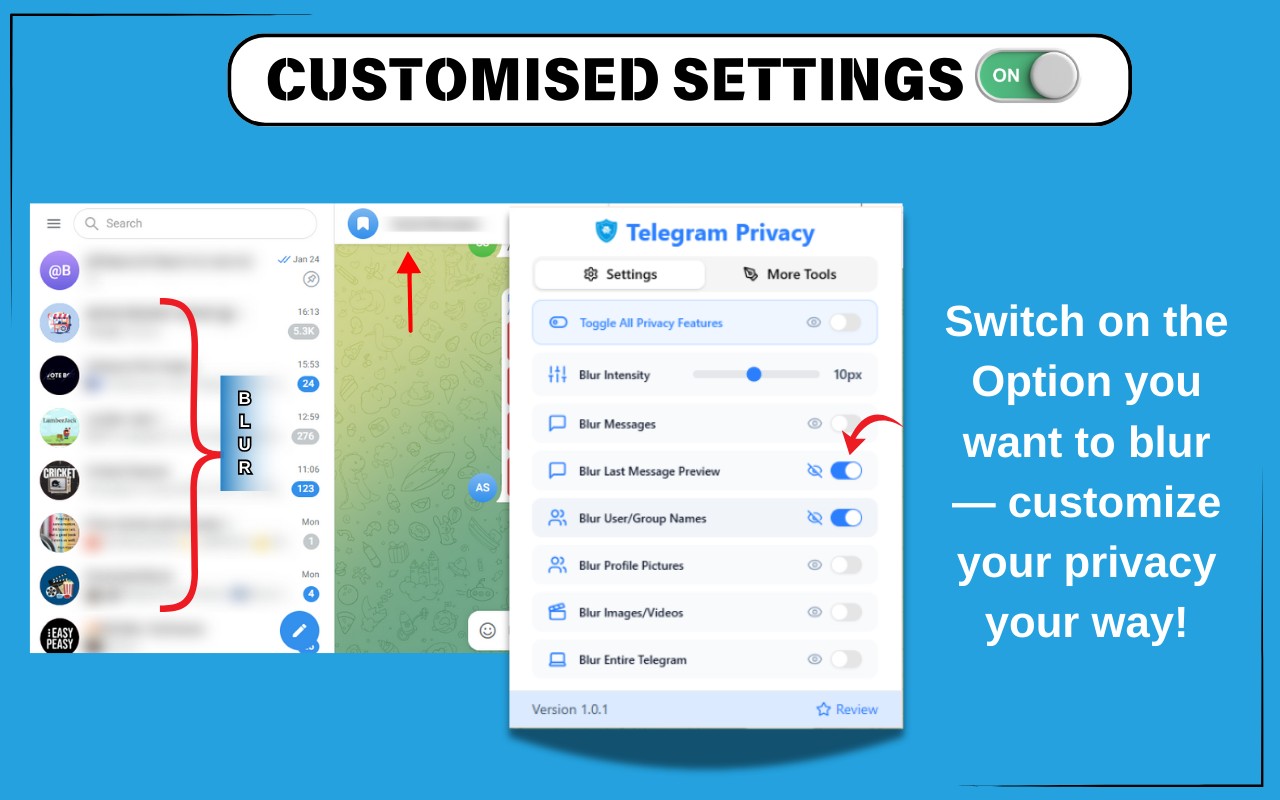
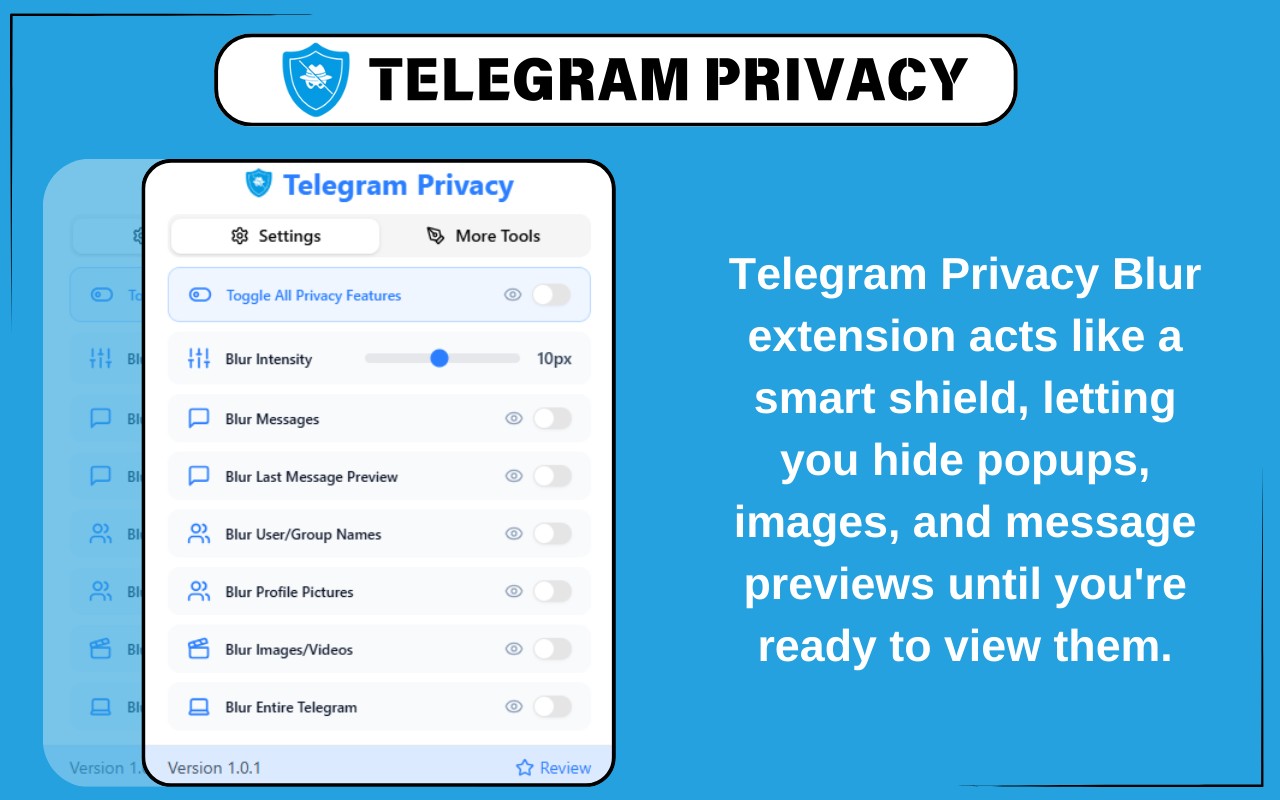
- Toggle All Privacy Features Instantly: With a single click, you can blur all supported elements on Telegram Web. This eliminates the need to manually enable each privacy option, making it ideal for quick activation during screen sharing, recording, or when you suddenly need to hide your screen in a public setting.
- Adjustable Blur Intensity: A slider lets you customize the strength of the blur effect, ranging from subtle to maximum blur. This allows you to balance privacy with usability depending on your environment-for instance, a light blur might be sufficient in a coffee shop, while maximum blur is better for presentations.
- Blur Messages for Complete Privacy: Chat messages remain blurred until you hover over them to reveal the content. This feature is essential for professionals, students, or anyone using Telegram Web openly, as it prevents unauthorized reading of your conversations.
- Blur Last Message Preview: The last message displayed in the chat list is obscured, preventing others from glimpsing your recent chats. This is particularly useful for streamers, YouTubers, or remote workers who have their chat list visible on screen.
- Blur User and Group Names: Contact and group names are hidden during screen shares and recordings, maintaining anonymity. This helps protect confidentiality when conducting demos, tutorials, or presentations that involve Telegram.
- Blur Profile Pictures: Profile images are automatically blurred to safeguard the identities of both you and your contacts. This is important when managing Telegram groups professionally or when you don't want profile photos to be visible.
- Blur Images and Videos: All media content, including photos, GIFs, and videos, is obscured until you hover over them. You can view them privately when needed, ensuring that sensitive visuals are not accidentally exposed.
- Blur the Entire Telegram Interface: A single action blurs the entire Telegram Web screen-sidebars, chats, headers, and everything else. This acts like a panic button for full privacy in unexpected moments, such as when someone approaches your desk.
This extension is lightweight, fast, and seamlessly integrates with Telegram Web. It is especially designed for professionals, streamers, educators, and privacy-conscious users who need to control what is visible on their screen. Note that this is an independent tool and is not affiliated with Telegram or Telegram Messenger LLP. Usage must comply with Telegram's terms and conditions.
Related


