
Authenticator app
Chrome extension to scan QR codes and generate 2FA codes for two-factor authentication directly in the browser.
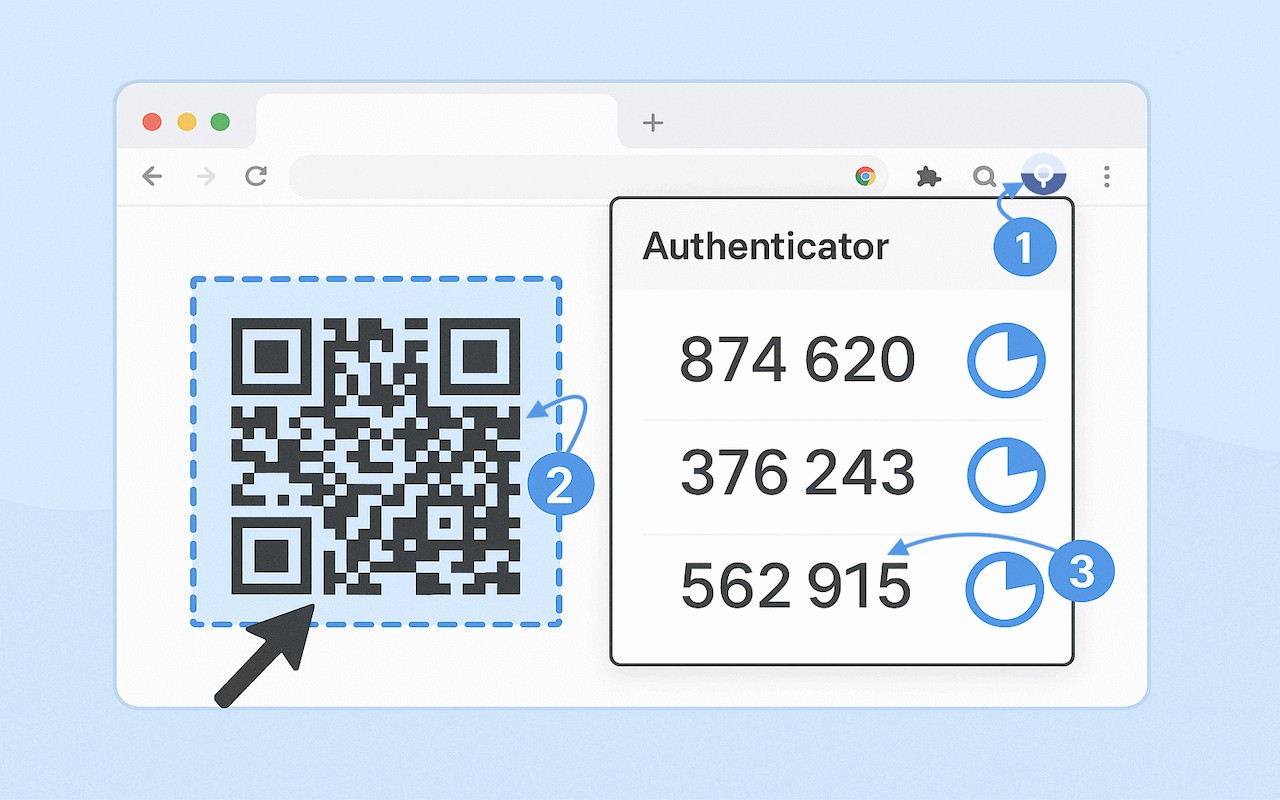
Description
The Authenticator app extension transforms your Chrome browser into a secure two-factor authentication (2FA) tool. It lets you scan QR codes and generate time-based one-time passwords (TOTP) directly from your desktop, eliminating the need for a mobile phone. Ideal for developers, business users, and anyone managing multiple accounts, this extension provides a convenient way to access 2FA codes while working on a PC or Mac.
Key Features
- Full authenticator functionality: Works as a complete 2FA app for desktop, supporting all standard TOTP services. You can add accounts by scanning QR codes from any webpage or manually entering secrets.
- QR code scanning: Scan authenticator QR codes directly from your browser with one click. The extension instantly identifies and processes standard QR formats, making setup quick and seamless.
- Code generation: Automatically generates 6-digit codes that refresh every 30 seconds. Codes are displayed clearly, allowing you to copy them easily for login.
- Local encryption and PIN protection: All 2FA secrets are stored locally on your device and encrypted. You can set a PIN to lock the extension, and it automatically locks after a period of inactivity for enhanced security.
- No cloud storage: Your secrets never leave your computer. This ensures privacy and prevents unauthorized access to your authentication data.
- Compatibility with major services: Works with thousands of TOTP-compatible services, including banking, cryptocurrency exchanges, email providers, and social media platforms.
- Minimal permissions: Only requires storage for saving authentication data and active tab access for scanning QR codes. No unnecessary permissions are requested.
- Regular updates: The extension receives continuous improvements, including support for new authentication services, enhanced security features, and performance optimizations.
To use the extension, install it, then scan any QR code from a website or manually enter a secret key. Your 2FA codes will appear instantly, ready for use. This desktop-based approach is especially useful for IT professionals managing multiple accounts, business users securing corporate logins, and individuals who prefer not to rely on a mobile device for authentication. With local storage and encryption, you retain full control over your data while enjoying the convenience of browser-based 2FA.
Related


