
AdGuard VPN: free & secure proxy
AdGuard VPN hides your IP, encrypts traffic, and offers fast, private browsing with no logs.


What it does
Permissions and access
Taken from the extension's own manifest file inside the package. The store listing does not spell this out, so it is worth reading before you install.
| Permission | What it allows |
|---|---|
browsingData | Clear your browsing data |
contextMenus | Add items to the right-click menu |
management | See and manage your other extensions |
notifications | Show desktop notifications |
offscreen | Run hidden pages for background work |
privacy | Change your privacy settings |
proxy | Route your traffic through a proxy |
storage | Store its own settings and data |
unlimitedStorage | Store unlimited data on your computer |
webRequest | Watch your network requests |
webRequestAuthProvider | webRequestAuthProvider |
Requests 11 permissions — extensions doing the same job average 6.8.
Technical details
Show all 40 languages
Description
AdGuard VPN is a browser extension that provides a secure and private proxy service, allowing you to browse the internet with enhanced privacy and anonymity. Developed by the team behind the well-known AdGuard ad blocker, this VPN solution is designed to protect your online activities from prying eyes, including your Internet Service Provider (ISP) and potential eavesdroppers. By hiding your real IP address and encrypting your traffic, AdGuard VPN ensures that your browsing sessions remain confidential and your personal data stays secure.
Key Features
- Advanced Privacy Protection: Conceal your real location and IP address, making it difficult for websites, advertisers, and other third parties to track your online behavior. This is particularly useful when using public Wi-Fi networks, where your data could be vulnerable to interception.
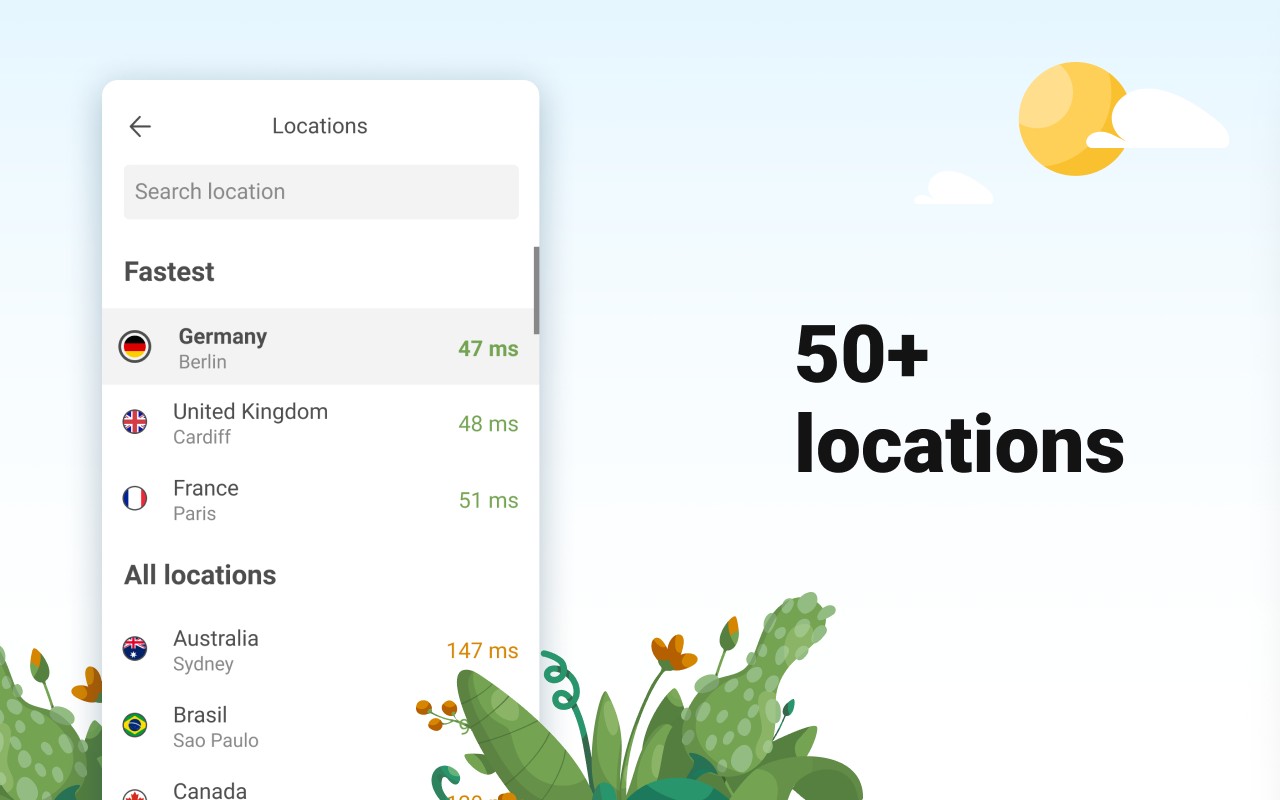
- Fastest Locations: Connect to a wide range of server locations around the world to access geo-restricted content and enjoy optimal connection speeds. Whether you need to watch a video that is only available in another country or want to access a website that is blocked in your region, AdGuard VPN provides a reliable solution.
- Speed & Unlimited Traffic: Enjoy high-speed browsing and streaming without worrying about data caps or bandwidth limits. The VPN is optimized for performance, ensuring that your internet connection remains fast even while your traffic is encrypted.
- No Logging Policy: AdGuard VPN does not keep logs of your online activities, ensuring that your browsing history and personal information are never stored or shared with third parties. This commitment to privacy is a core principle of the service.
- Unique Protocol: AdGuard VPN uses a proprietary protocol that combines speed and security, providing a seamless balance between performance and protection. This means you can enjoy a faster connection without compromising on privacy.
- Integration with AdGuard Products: The VPN is designed to work seamlessly with other AdGuard tools, offering additional protection against tracking and malware. This integration enhances your overall online security and privacy.
- Custom DNS Server Selection: Choose from a wide list of known DNS providers to customize your browsing experience. This feature allows you to enhance security, block unwanted content, or improve connection speeds based on your preferences.
- Exclusions Lists: Easily manage which websites should use the VPN and which should not. You can create custom lists to automatically bypass the VPN for certain sites, such as banking portals or local services, ensuring that your access is never interrupted.
AdGuard VPN also includes several technical features that enhance its usability. The extension requires certain permissions to function correctly, and it is transparent about their use. For instance, the 'proxy' permission is essential for the VPN to route your traffic securely. The 'contextMenus' permission allows you to enable or disable the VPN directly from the right-click context menu, making it convenient to control your privacy settings. The 'management' permission enables you to turn off other proxy extensions with a single click, preventing conflicts and ensuring smooth operation. Notifications are used to alert you after successful authentication via social networks, keeping you informed of the connection status. The 'privacy' permission is utilized to provide the 'Disable WebRTC' feature, which is crucial for preventing websites from discovering your real IP address through WebRTC leaks. Storage permissions are necessary to save your settings and preferences, while the 'webRequest' and 'webRequestBlocking' permissions are used to detect non-routable domains (such as those hosted on a local network) and automatically add them to the exclusions list, as well as to handle authentication requests for endpoints that require it. The '
Extensions that do the same job
Matched by what these extensions actually do, not by store category, and sorted so the ones asking for the least access come first.
| Extension | Site access | Permissions | Users | Rating |
|---|---|---|---|---|
| AdGuard VPN: free & secure proxy — this page | All sites | 11 | 400K | 4.1★ |
| UltraSurf Security, Privacy & Freedom VPN | Limited | 5 | 900K | 4.6★ |
| BelkaVPN is VPN, Proxy to Unblock any sites | Limited | 8 | 5K | 3.3★ |
| Free VPN Proxy - 1VPN | All sites | 10 | 2M | 4.7★ |
| Free VPN For Chrome & Ad blocker - Planet VPN | All sites | 14 | 1M | 4.6★ |
| Free VPN Proxy - VPN for Chrome uVPN | All sites | 8 | 900K | 4.5★ |
| Turbo VPN - Secure Free VPN Proxy | All sites | 6 | 800K | 3.5★ |
Want the same thing with less access? UltraSurf Security, Privacy & Freedom VPN, BelkaVPN is VPN, Proxy to Unblock any sites, MEGA ask for fewer permissions than this one.
Store data last checked August 19, 2026.