
MailMood — Email Tone Vibes
Adds color-coded tone badges to Gmail inbox and polishes drafts for clarity.
Description
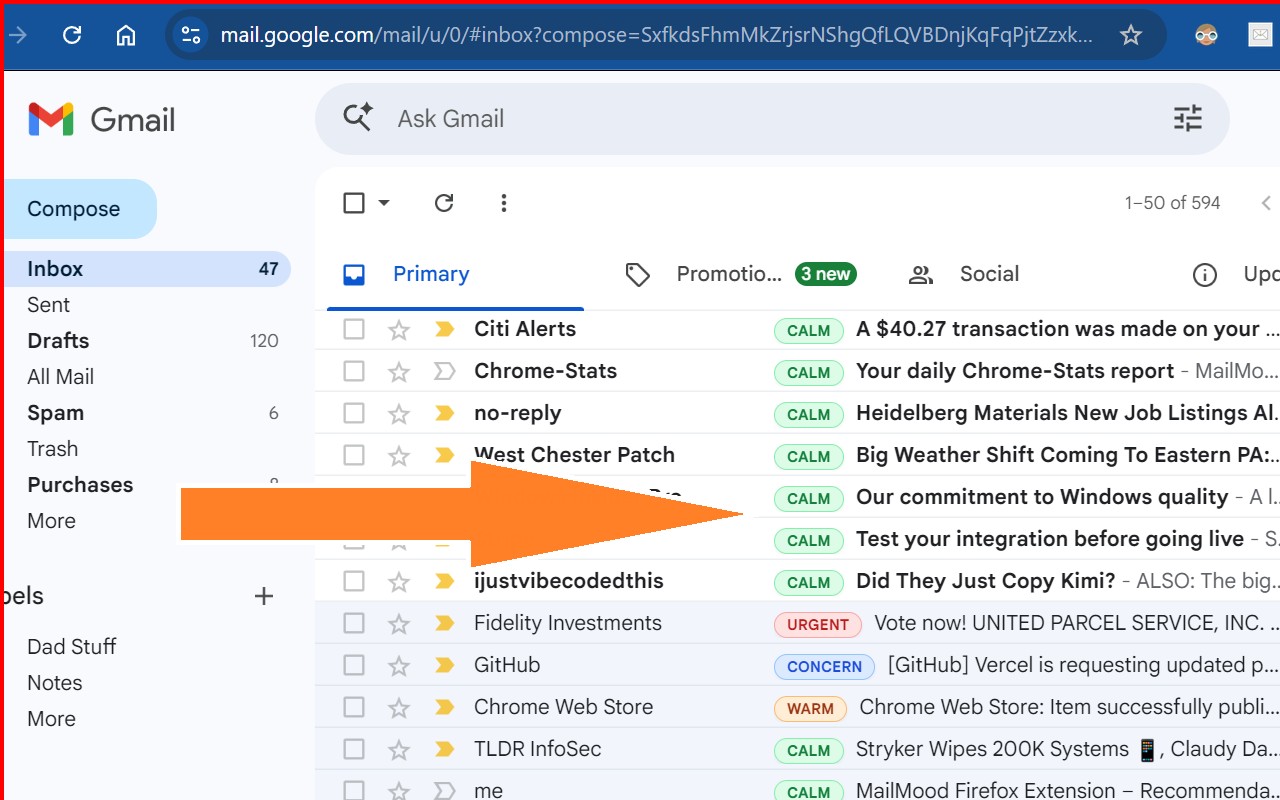
MailMood brings real-time tone analysis directly into your Gmail inbox, helping you understand the emotional context of emails before you read or reply. By scanning message content on your device, it assigns a color-coded badge to each email, letting you quickly identify urgent, warm, tense, or neutral tones at a glance. This is especially useful when you have a crowded inbox and need to prioritize responses based on emotional urgency-for example, spotting a tense client email or a warm message from a colleague without opening each one.
Features
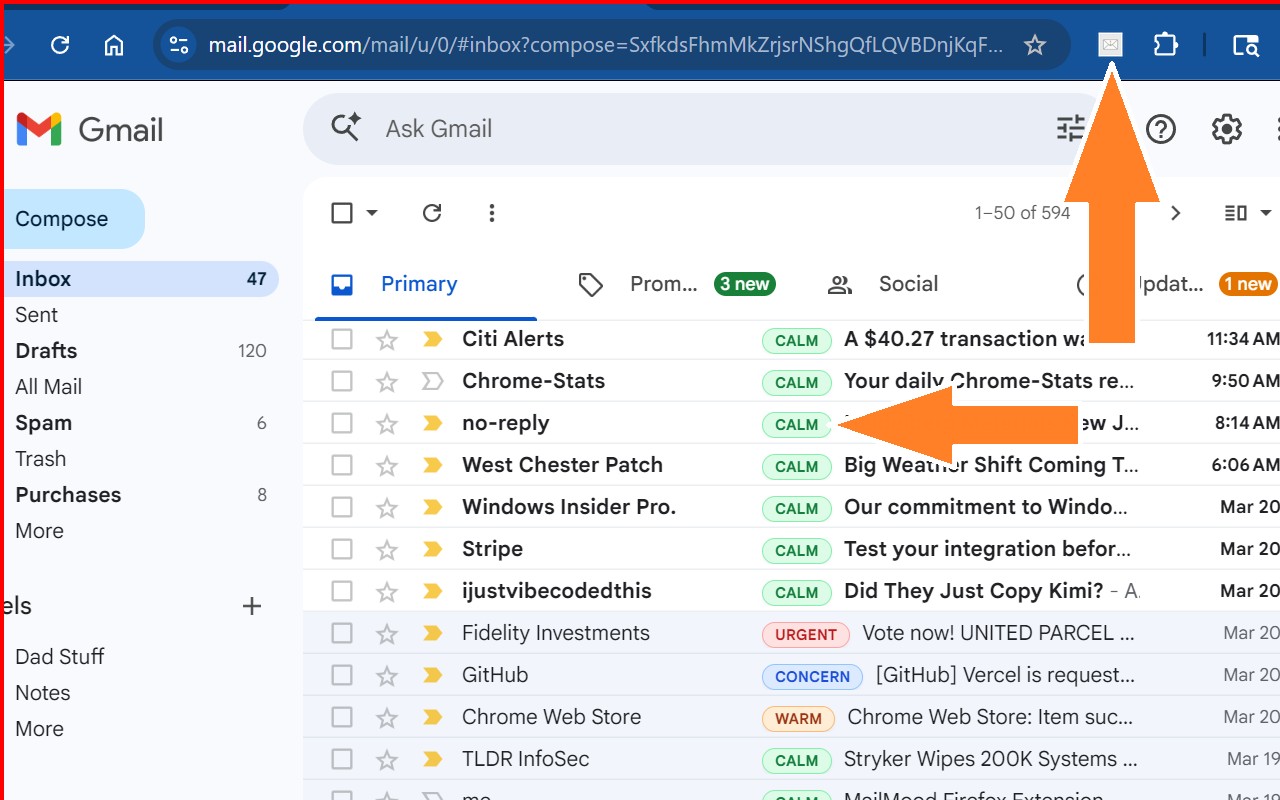
- Inbox Mood Badges: Each email receives a small colored badge next to the subject line. Red indicates urgent or tense messages, orange means warm or positive, green stands for calm or professional, blue shows concern or difficulty, and black marks neutral or automated emails. This system provides instant visual cues so you can decide which emails need immediate attention and which can wait, reducing the mental load of scanning subject lines.
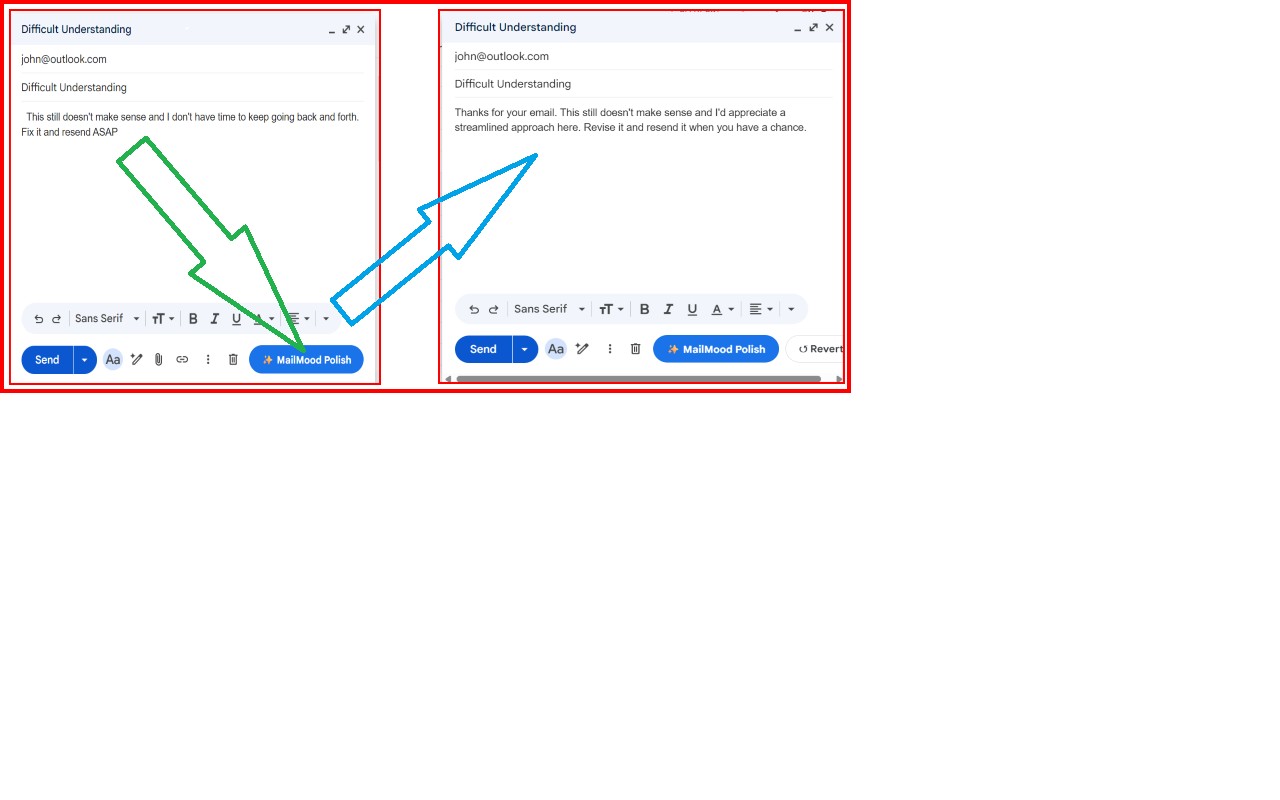
- MailMood Polish: Before sending a reply, you can click the MailMood Polish button to rewrite your draft into clearer, more professional language. The tool detects blunt, frustrated, or overly direct phrasing and suggests a polished version. For example, a harsh sentence like "Fix this now" becomes "Could you please address this when you have a moment?" You can review the suggestion and use the Revert button to go back to your original draft at any time. This feature is ideal for avoiding miscommunication in sensitive conversations, such as with managers, clients, or team members.
- Privacy-First Design: All processing happens locally on your computer using your browser's capabilities. Your emails are never sent to any server, stored, or shared with third parties. Once the analysis is complete, the data is discarded immediately. No account creation or data collection is required, making MailMood suitable for handling confidential or personal correspondence securely.
- Coming Soon - MailMood Pro: A future upgrade will offer real-time tone feedback as you type, suggestions to soften or strengthen your language, and enhanced rewriting options for clarity and professionalism. Early adopters will receive discounted pricing.
- Permissions: The extension only requests access to mail.google.com to display mood badges in your inbox and enable the Polish feature inside Gmail's compose window. It does not access any other websites or request additional permissions.
MailMood works seamlessly with Gmail without requiring any setup or account. It's designed for anyone who wants to communicate more effectively by being aware of tone-whether you're managing customer support, collaborating on projects, or handling personal emails. The local processing ensures your data remains private, and the intuitive badges save time by giving you immediate context. With MailMood, you can avoid misunderstandings, respond appropriately, and polish your drafts to maintain professional relationships.
Related


