
Familiar Emails
Shows an icon next to email addresses in Gmail to indicate if they are familiar, helping prevent phishing.
Description
Familiar Emails is a browser extension designed to enhance email security by visually distinguishing between known and unknown email addresses in your Gmail inbox. When you receive an email, the extension places a small icon next to each sender's address to indicate whether it is familiar to you. This simple visual cue helps you quickly assess whether an email might be suspicious, reducing the risk of phishing attacks and other email-based security threats. By reminding you to double-check messages from unfamiliar senders, the extension encourages safer email habits without requiring constant manual review.
Features
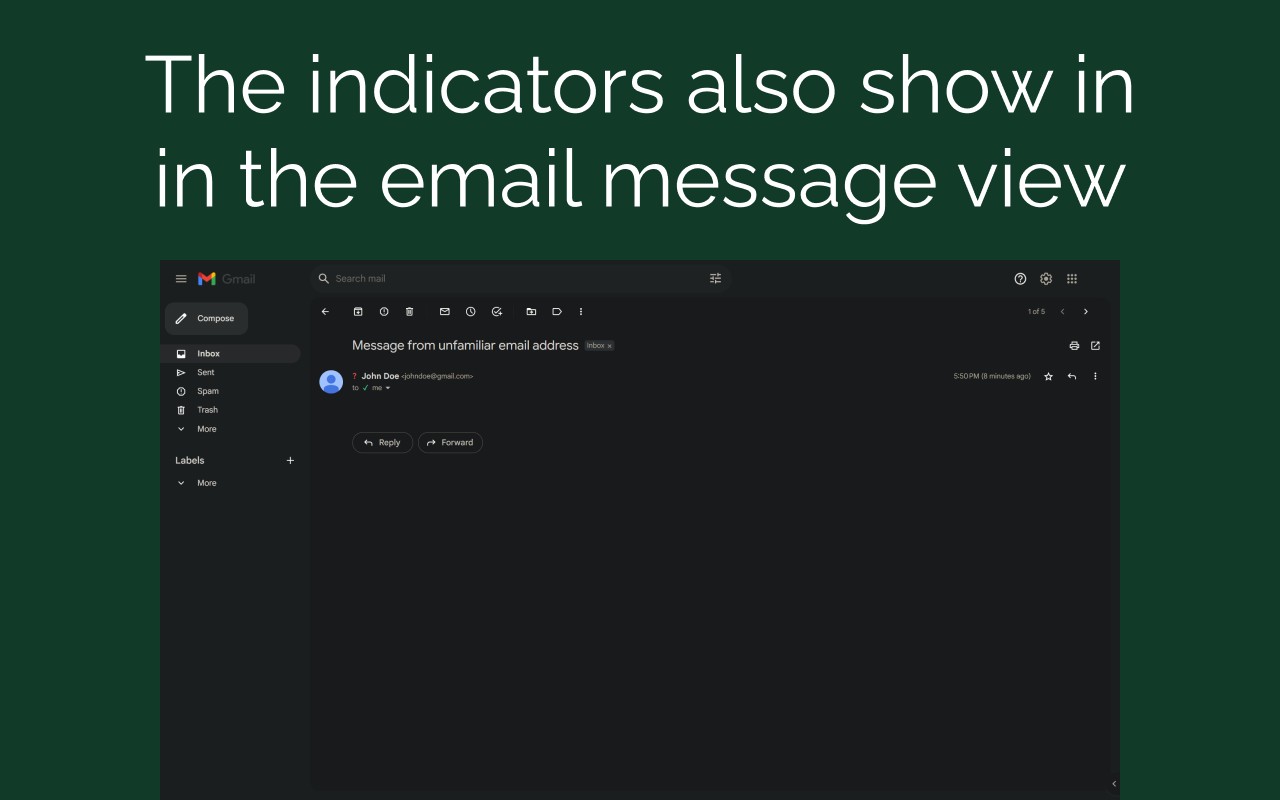
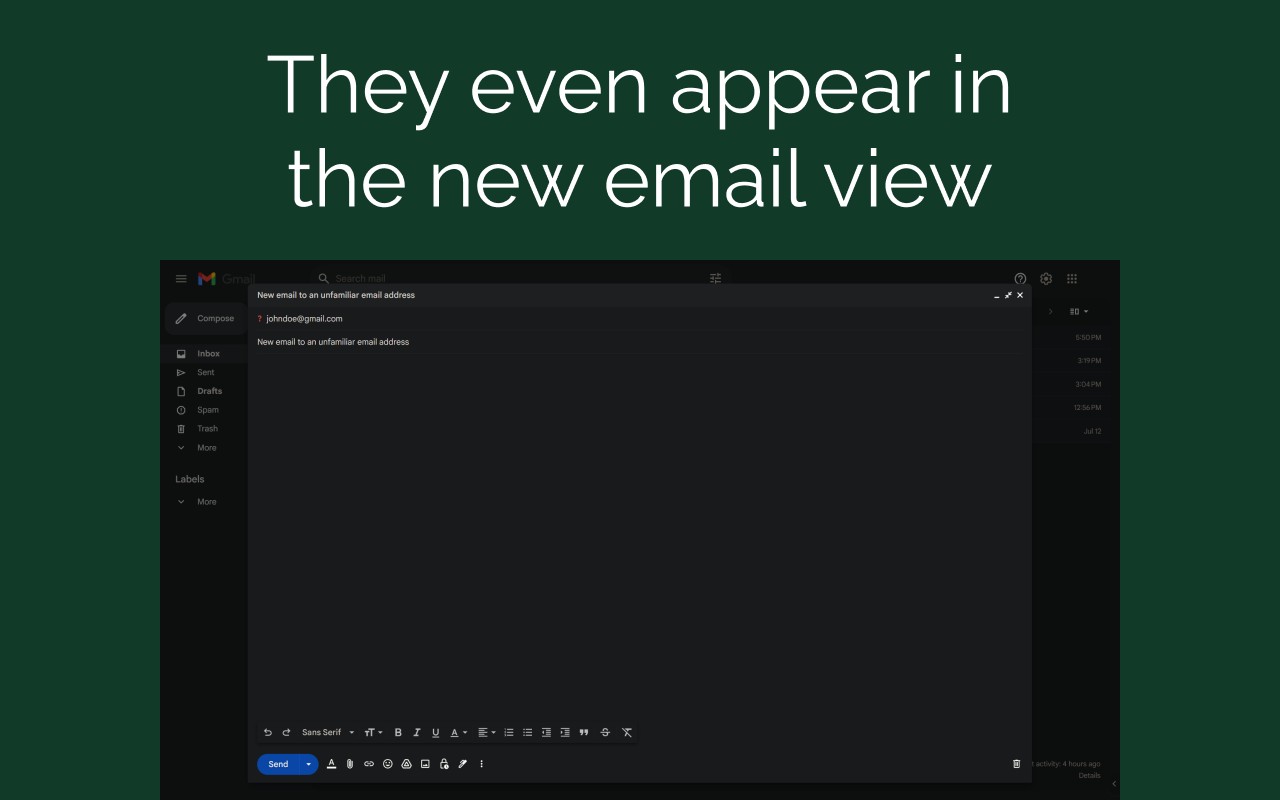
- Supported Websites: The extension currently works exclusively with Gmail, integrating directly into the Gmail web interface to display familiarity indicators next to email addresses in the inbox, open messages, and other views.
- Familiar/Unfamiliar Email Address Indicator: An icon appears adjacent to each email address in Gmail. A familiar address shows a checkmark or similar positive icon, while an unfamiliar one displays a warning symbol. This allows you to instantly recognize senders you have previously marked as safe versus those that require caution.
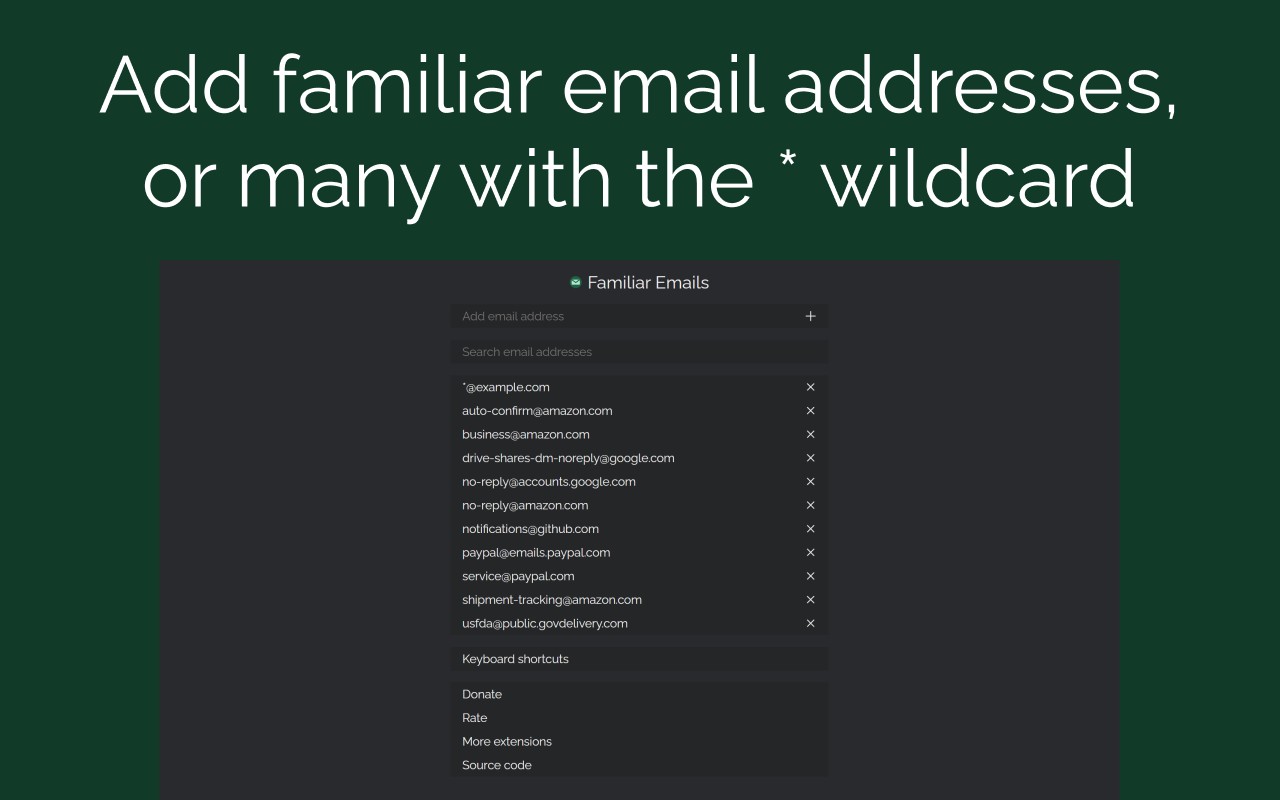
- Edit Familiar Email Addresses: You can manage your list of familiar email addresses through an intuitive interface. This interface lets you add or remove individual addresses or entire domains using wildcard patterns. For example, you can mark an entire company domain like
*@example.comor a subdomain pattern like*@*.example.comas familiar, saving time by not having to list every single email address. - Storage Sync: Your list of familiar email addresses is synchronized across all computers where you use the same Chrome browser profile. This means you only need to configure your preferences once, and the extension will apply them everywhere, ensuring consistent protection whether you are at home, at work, or on the go.
- Keyboard Shortcuts: The extension supports customizable keyboard shortcuts for quick access. You can set a shortcut to open the big options page for detailed management or to activate the extension directly. This speeds up common tasks like adding a new email address or checking your familiarity list without navigating through menus.
- Adding Email Addresses: To add an email address as familiar, you can use either the popup window (accessible by clicking the extension icon) or the big options page. In the provided field, you can type a specific email address like
[email protected]or use wildcards to cover multiple addresses. For instance,*@marketing.example.commarks all senders from that domain as familiar, while*@*.example.commarks all subdomains of example.com. After typing, press Enter or click the plus button to add it to your list.
By combining these features, Familiar Emails offers a practical and efficient way to manage email familiarity, helping you avoid phishing attempts and stay safe while using Gmail. The extension is particularly useful for professionals who receive a high volume of emails from various sources, as it reduces the cognitive load of manually verifying each sender. It also benefits users who are less tech-savvy by providing a clear visual system that requires minimal effort to maintain.
Related


