
Bulk Image Downloader
Bulk Image Downloader lets you download and save all images from any website in three clicks, with offline privacy and
Description
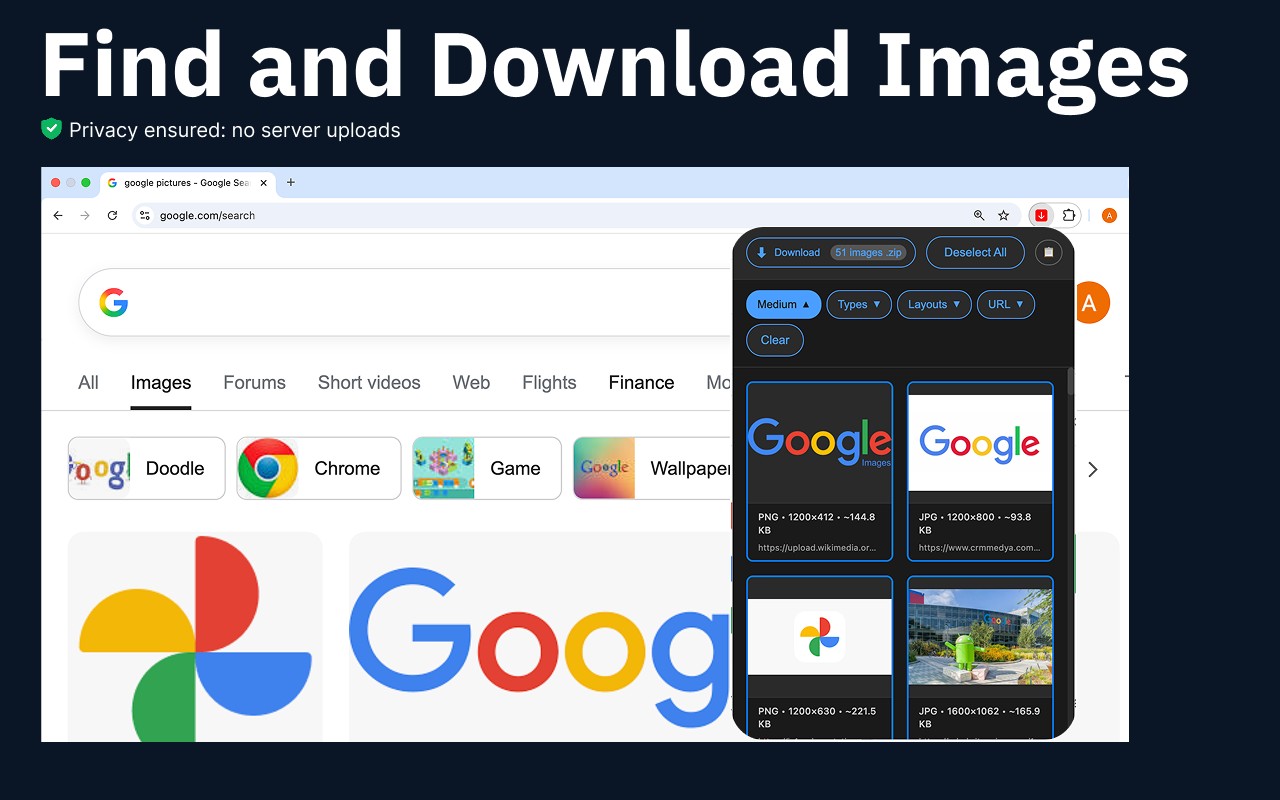
Bulk Image Downloader is a Chrome extension that enables you to download and save all images from any website in just three clicks. It is designed for users who need to collect, sort, and manage visual content efficiently without restrictions. The extension works entirely offline, ensuring that all processing and storage happens locally on your device, with no data sent to external servers or third parties. This makes it a privacy-focused solution for downloading images directly from your browser.
Key Features
- One-Click Bulk Download: Instantly download all images from a webpage with a single click. This is ideal for quickly gathering visual assets from galleries, product pages, blogs, social feeds, and media libraries without manually saving each file.
- Format Selection: Choose to download images in specific formats such as JPG, PNG, WebP, or JPEG. This allows you to filter by file type and ensure compatibility with your projects.
- Preview Before Saving: View a list of all downloadable images on the page before initiating the download. This helps you select only the images you need, avoiding unnecessary downloads.
- File Renaming and Organization: Automatically rename files or save them into structured folders during download. You can set naming conventions based on patterns, making it easier to organize large collections.
- Advanced Filters: Apply filters to skip duplicate images and low-resolution files. You can also sort images by size or type, enabling you to collect only high-quality assets that meet your criteria.
- Selective Download: Choose individual images or select all files at once. This flexibility is useful when you need specific pictures from a page rather than everything.
- ZIP Export: Export all downloaded images as a single ZIP archive. This simplifies storage and sharing, especially when dealing with multiple files from different sources.
- Pause and Resume: Control bulk downloads with pause and resume functionality. This is helpful when managing large volumes of images or when you need to interrupt and continue later.
- Context Menu and Toolbar Access: Access the extension via the toolbar button or right-click context menu for quick actions. This streamlines the workflow without navigating away from the current page.
- Lightweight Performance: Despite handling hundreds of images per session, the extension uses minimal memory and runs efficiently in the background. It works seamlessly with all Chromium-based browsers without requiring additional setup.
Bulk Image Downloader is suitable for designers, marketers, content creators, and researchers who frequently need to download pictures from websites. For example, a designer might use it to collect design references from multiple pages, a marketer could gather product images for campaigns, and a student might download research materials. The extension's offline mode ensures privacy, as all actions occur locally. It also includes a copyright notice reminding users to respect intellectual property rights and check licenses before reusing images.
Related


