
Keep Awake (Display | System)
Prevents display or system sleep with a toolbar toggle, without altering power settings.
What it does
Permissions and access
Taken from the extension's own manifest file inside the package. The store listing does not spell this out, so it is worth reading before you install.
| Permission | What it allows |
|---|---|
contextMenus | Add items to the right-click menu |
notifications | Show desktop notifications |
power | Keep your screen awake |
storage | Store its own settings and data |
Technical details
Description
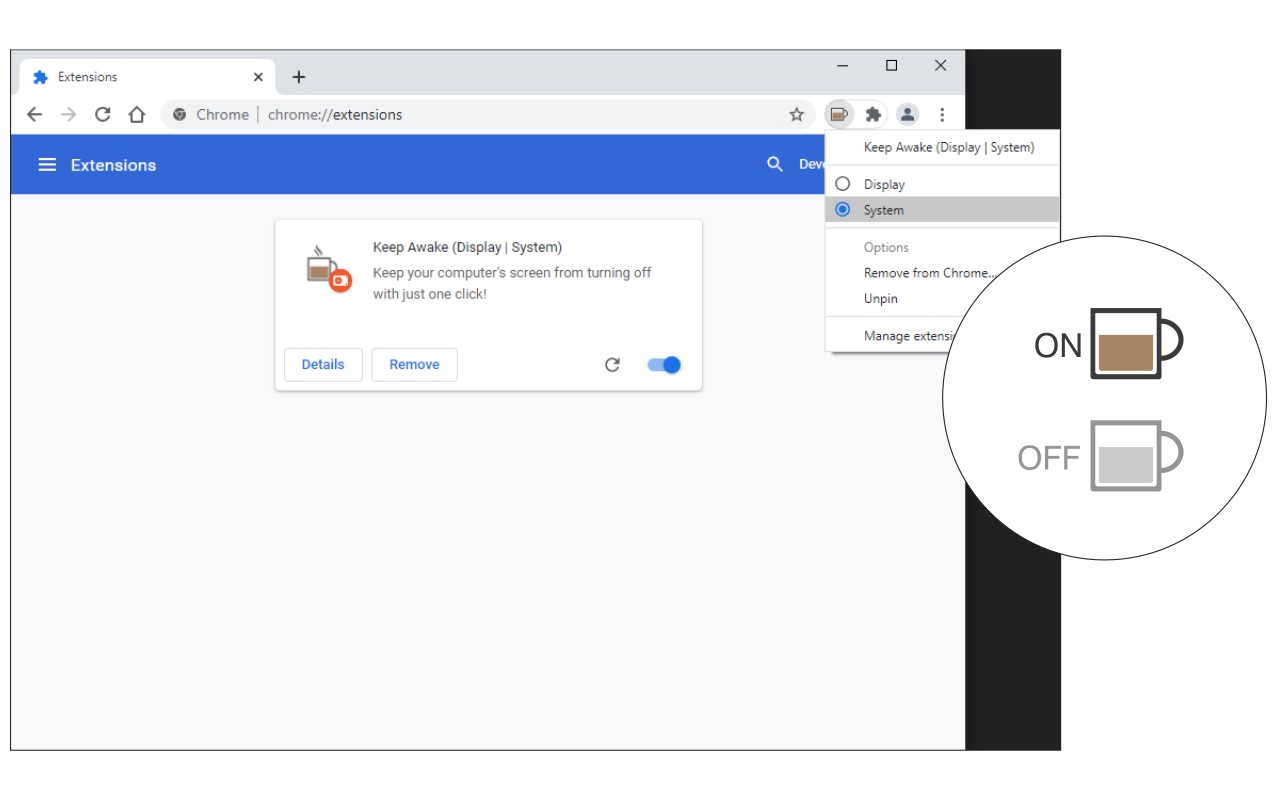
Keep Awake (Display | System) is a lightweight browser extension that prevents your computer monitor or operating system from entering sleep mode with a single click. Instead of modifying your system power settings, this addon provides a convenient toolbar button that acts as a simple ON/OFF switch. When activated, the button turns yellow to indicate that the override is active. This is particularly useful during presentations, video streaming, reading long documents, or any scenario where you need the screen or system to stay awake temporarily without digging into control panel settings.
Features
- Display Mode: Prevents the monitor from turning off. For example, if your power settings normally turn off the display after 5 minutes of inactivity, enabling Display Mode overrides this behavior and keeps the screen on indefinitely. This is ideal for watching movies, giving slideshows, or monitoring dashboards without interruption.
- System Mode: Prevents the entire computer from going to sleep. This mode stops the system from entering suspend or hibernation, which is helpful during long downloads, file transfers, software installations, or when running background tasks that require continuous operation.
- Easy Mode Switching via Context Menu: Right-click the toolbar button to open a context menu where you can select either Display or System mode. This allows you to switch between modes on the fly without navigating to an options page.
- No System Settings Changed: The extension works entirely within the browser and does not alter your computer's power configuration. Your original power settings remain intact; the extension simply overrides them while active. Once you turn off the extension, your system reverts to its default sleep behavior.
- Simple ON/OFF Toggle: Click the toolbar button once to enable the selected mode (button turns yellow), and click again to disable it (button returns to normal). No complex setup or configuration required.
To report bugs or issues, visit the addon's homepage at https://mybrowseraddon.com/keep-awake.html and fill out the bug report form. The extension is compatible with all major browsers and requires no permissions beyond basic toolbar integration.