
Secure Kit
Secure Kit anonymizes your browser with one click, controlling WebRTC, cookies, TOR, proxy, and more.
What it does
Permissions and access
Taken from the extension's own manifest file inside the package. The store listing does not spell this out, so it is worth reading before you install.
| Permission | What it allows |
|---|---|
browsingData | Clear your browsing data |
contentSettings | Change browser content settings |
declarativeNetRequest | Block or modify network requests |
privacy | Change your privacy settings |
proxy | Route your traffic through a proxy |
storage | Store its own settings and data |
tabs | See the addresses and titles of your open tabs |
webRequest | Watch your network requests |
webRequestAuthProvider | webRequestAuthProvider |
Requests 9 permissions — extensions doing the same job average 7.0.
Technical details
Show all 29 languages
Description
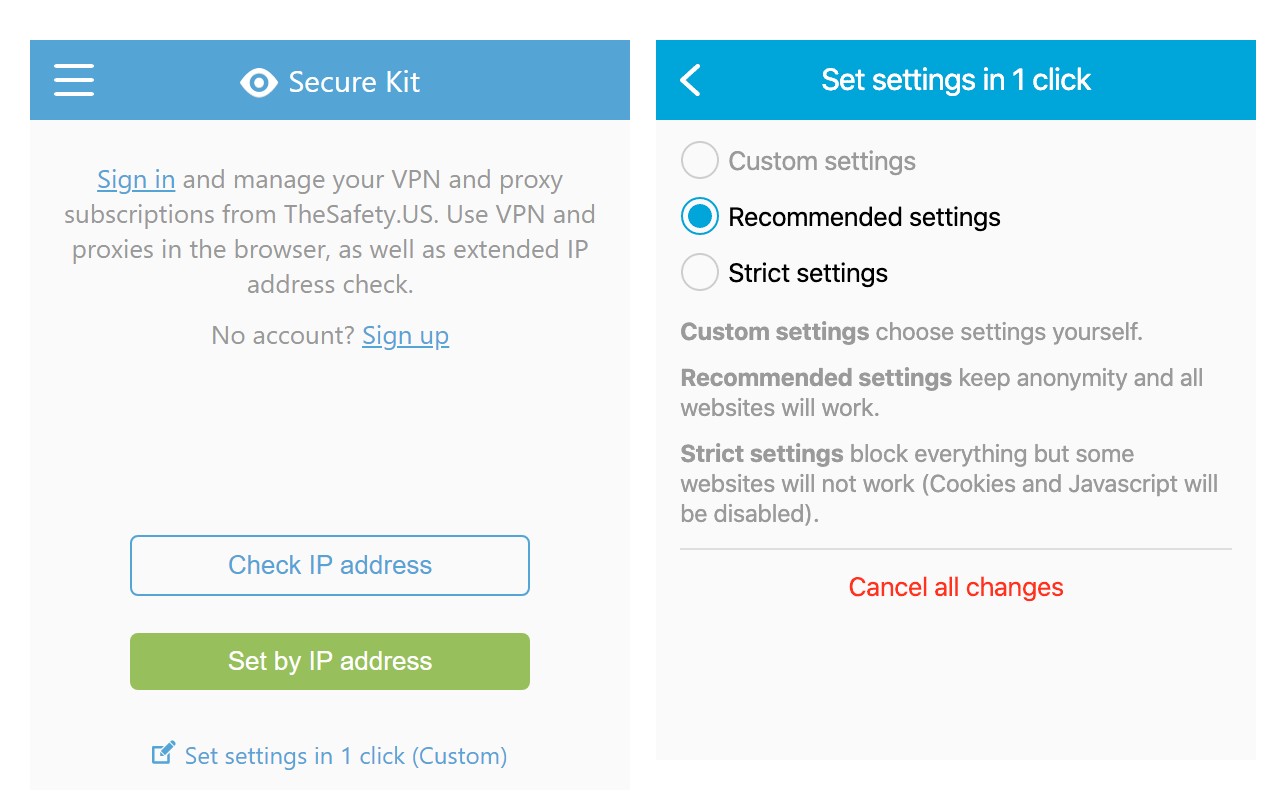
Secure Kit enhances your online privacy by making your browser anonymous with a single click. It offers predefined settings for Recommended and Strict privacy levels, while advanced users can manually configure individual options. The extension also displays your IPv4 and IPv6 addresses along with location details such as country, city, and IP type, helping you verify your anonymity status.
Key Features
- Disable WebRTC, Flash, Java, Cookies, and JavaScript: Prevents data leaks through these technologies. Useful when browsing untrusted sites or avoiding tracking scripts.
- Disable unique browser fingerprints: Blocks techniques used to identify your browser across sessions, making it harder for advertisers or trackers to monitor your activity.
- Enable HTTPS Everywhere and Do Not Track: Forces secure connections where possible and sends a privacy preference signal to websites.
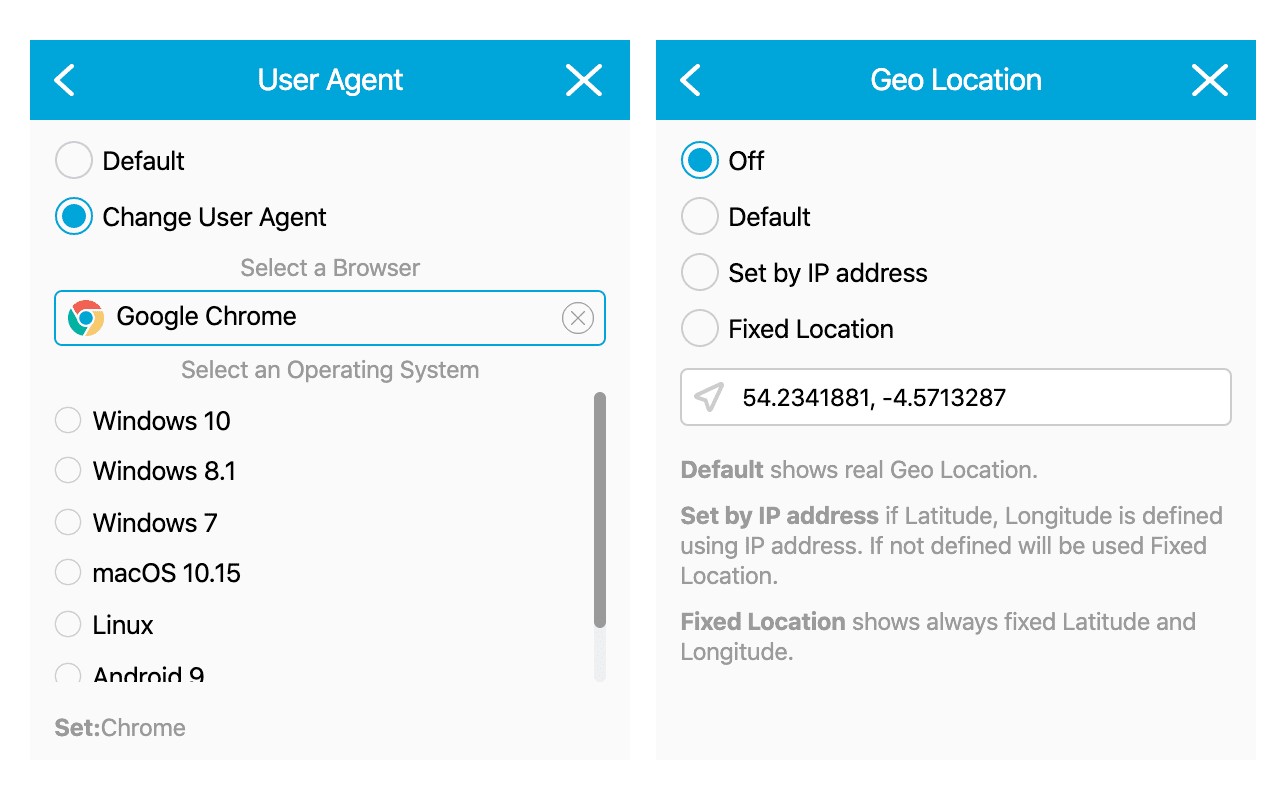
- Change browser user agent: Spoofs your browser identity to avoid detection based on browser version or OS.
- Disable or change geolocation: Prevents sites from accessing your real location or sets a fake one. Useful for accessing region-restricted content or protecting location privacy.
- Set time zone, browser language, and geolocation by IP address or timer: Automatically adjusts these settings based on your current IP or at scheduled intervals, maintaining consistency with your spoofed location.
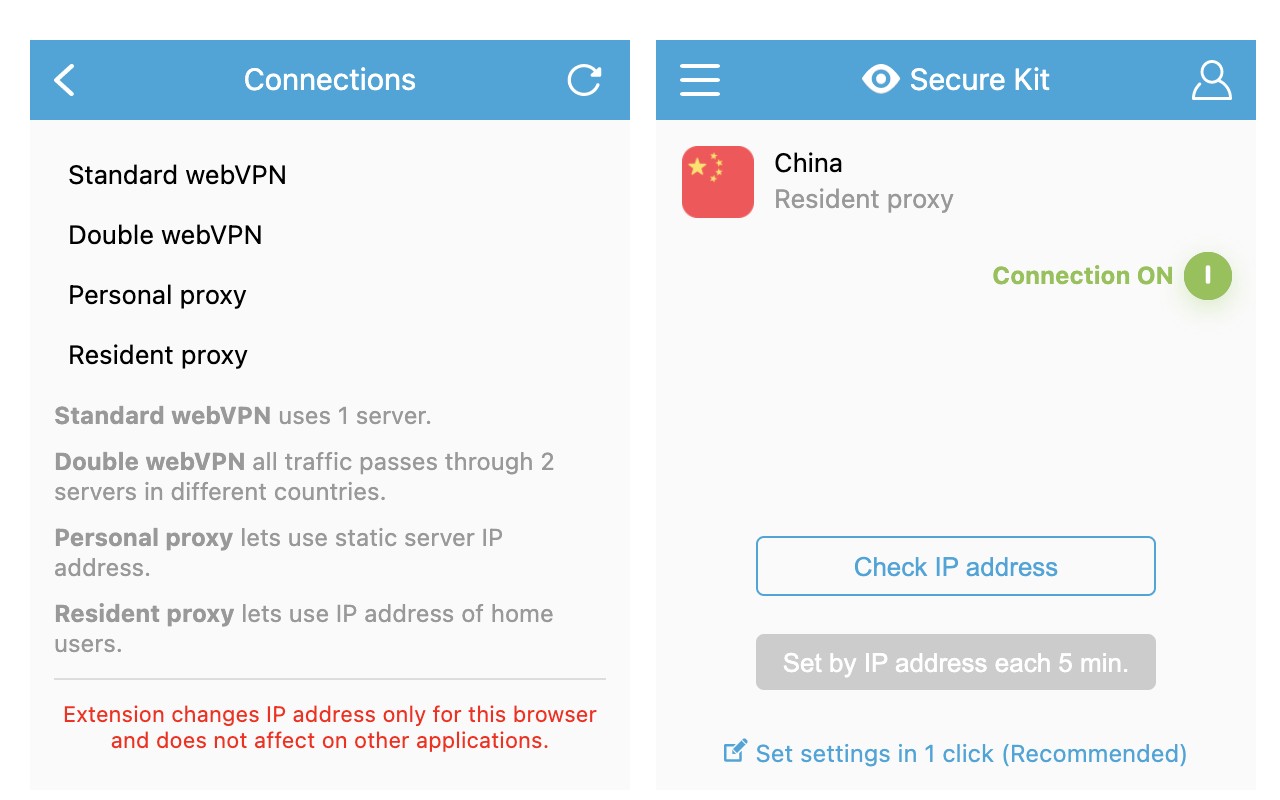
- Connect to free TOR network: Routes traffic through TOR without needing separate software. Ideal for high anonymity needs, such as bypassing censorship or protecting sensitive research.
- Connect to your HTTPS or SOCKS5 proxy: Allows use of personal proxy servers for additional control over your connection path.
- Manage TheSafety.US account: Receive notifications about VPN and proxy subscription renewals, and connect your browser to your existing subscriptions for seamless use.
Secure Kit does not collect any data on extension operation, visited sites, IP addresses, DNS queries, or cookies. It does not log connections or require registration or authorization. For account management, only email and password are used for TheSafety.US integration. This focus on zero data collection ensures your privacy is maintained even while using the extension itself.
Extensions that do the same job
Matched by what these extensions actually do, not by store category, and sorted so the ones asking for the least access come first.
| Extension | Site access | Permissions | Users | Rating |
|---|---|---|---|---|
| Secure Kit — this page | All sites | 9 | 5K | 4.6★ |
| Free VPN For Chrome & Ad blocker - Planet VPN | All sites | 14 | 1M | 4.6★ |
| UltraSurf Security, Privacy & Freedom VPN | Limited | 5 | 900K | 4.6★ |
| BelkaVPN is VPN, Proxy to Unblock any sites | Limited | 8 | 5K | 3.3★ |
| Online Security | All sites | 18 | 10M | 3.6★ |
| DuckDuckGo Search & Tracker Protection | All sites | 11 | 3M | 4.2★ |
| Free VPN Proxy - 1VPN | All sites | 10 | 2M | 4.7★ |
Want the same thing with less access? UltraSurf Security, Privacy & Freedom VPN, BelkaVPN is VPN, Proxy to Unblock any sites, MEGA ask for fewer permissions than this one.
Store data last checked August 14, 2026.