
Gartic Cellulart for Gartic Phone
Adds timer, reference images, spotlight, scry, satellite, and other tools to Gartic Phone.
What it does
Permissions and access
Taken from the extension's own manifest file inside the package. The store listing does not spell this out, so it is worth reading before you install.
| Permission | What it allows |
|---|---|
storage | Store its own settings and data |
Requests 1 permission — extensions doing the same job average 2.2.
Technical details
Description
Gartic Cellulart enhances your Gartic Phone experience by adding a suite of practical tools that integrate directly into the game interface. Whether you're playing casually with friends or in competitive public lobbies, these features help you manage time, organize references, and review your performance with ease.
Features
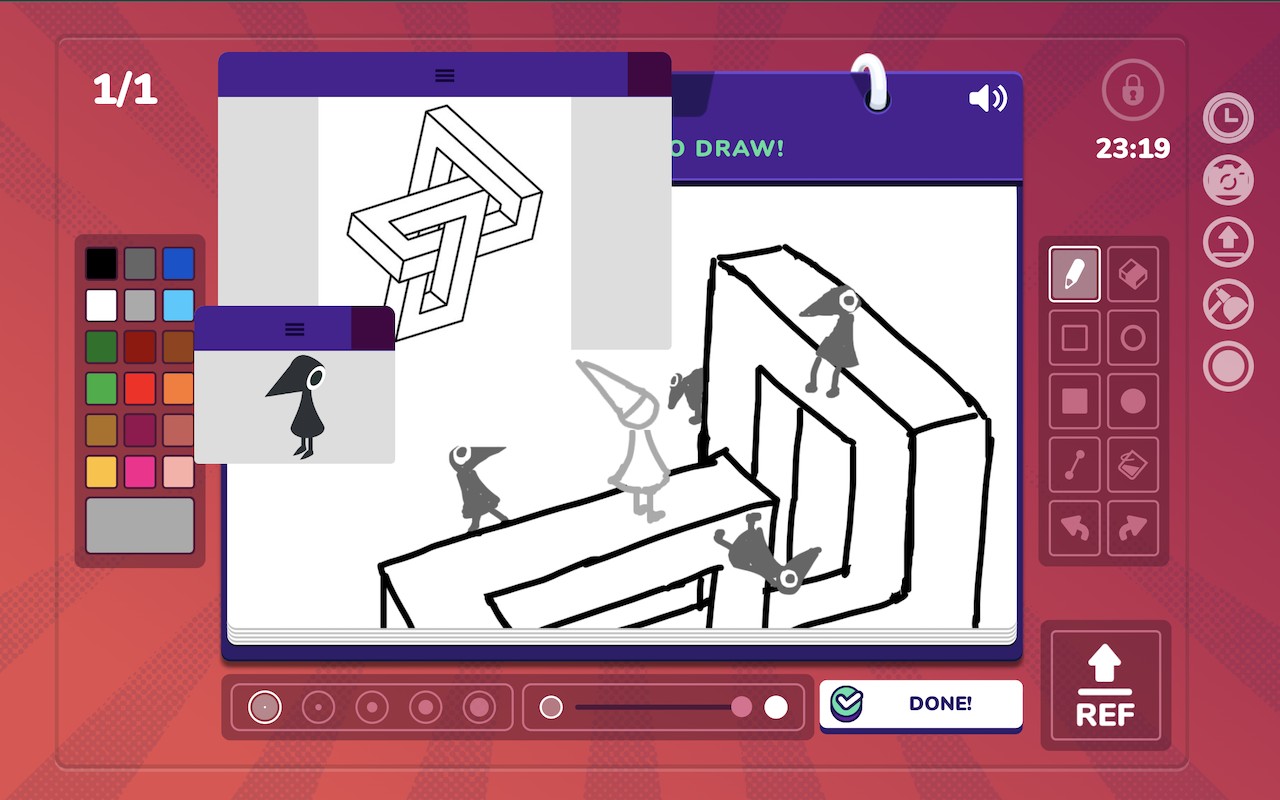
- Timer: A digital countdown timer appears in the top-right corner of the screen, showing exactly how many seconds remain in the current phase. This is useful for pacing your drawing or guessing without having to glance at the game's built-in timer.
- Reference Images: A file upload box in the bottom right lets you load reference images (e.g., photos, sketches) onto the screen. These images can be dragged and repositioned freely, making them handy as visual aids when drawing complex prompts or for tracing inspiration.
- Spotlight: This tool lets you download your responses (drawings or text) paired with the original prompts that inspired them. It compiles your performance for each round into a single file, perfect for reviewing your creations or sharing highlights after the game.
- Scry: Displays a list of players who have not yet clicked the DONE button. This helps you know who is still drawing or typing, so you can adjust your pace or wait accordingly-especially useful in large lobbies.
- Satellite: Reveals a passcode that unlocks zero or more Red Tools (advanced features). These tools are labeled as potentially unfair and are not recommended for use in public lobbies. Use at your own discretion.
- Akasha: Captures drawings from the current album that were revealed before you joined the game. It also indicates when an uploaded image has the wrong MIME type and when an upload fails, instead of failing silently. Additionally, it attaches buttons to the correct elements when switching timelines.
- Refdrop: Provides underlaid reference images, but note that their size may be incorrect in some versions (fixed in patch 1.7.7).
- Snowball, Geom, Koss: These modules have been reworked or updated for clarity and double precision in version 1.7.6. Geom previously previewed the wrong region, which has been fixed.
- Square Canvas Support: Added support for square canvases across all modules, ensuring compatibility with different game modes.
For detailed usage instructions and the latest code, visit the official wiki at codeberg.org/Kuixz/gartic-cellulart/wiki. Note that most functionalities will break if the browser's WebSocket is disabled or interfered with by other scripts. Feedback is welcome via Discord (Quixz#0033) or email ([email protected]).
Extensions that do the same job
Matched by what these extensions actually do, not by store category, and sorted so the ones asking for the least access come first.
| Extension | Site access | Permissions | Users | Rating |
|---|---|---|---|---|
| Gartic Cellulart for Gartic Phone — this page | Limited | 1 | 2K | 3.1★ |
| RoValra - Roblox Improved | Limited | 3 | 300K | 4.9★ |
| Catch Cat - Super Game | Limited | 1 | 10K | 3.9★ |
| NameMC Extras | Limited | 1 | 3K | 5.0★ |
| CS2 Trader - Steam Trading Enhancer | Limited | 5 | 300K | 4.0★ |
| Pocket Bird | All sites | 1 | 2K | 4.7★ |
Store data last checked August 14, 2026.